AXISP14NetworkCameraSeries
Configureyourdevice
Handlesceneswithstrongbacklight
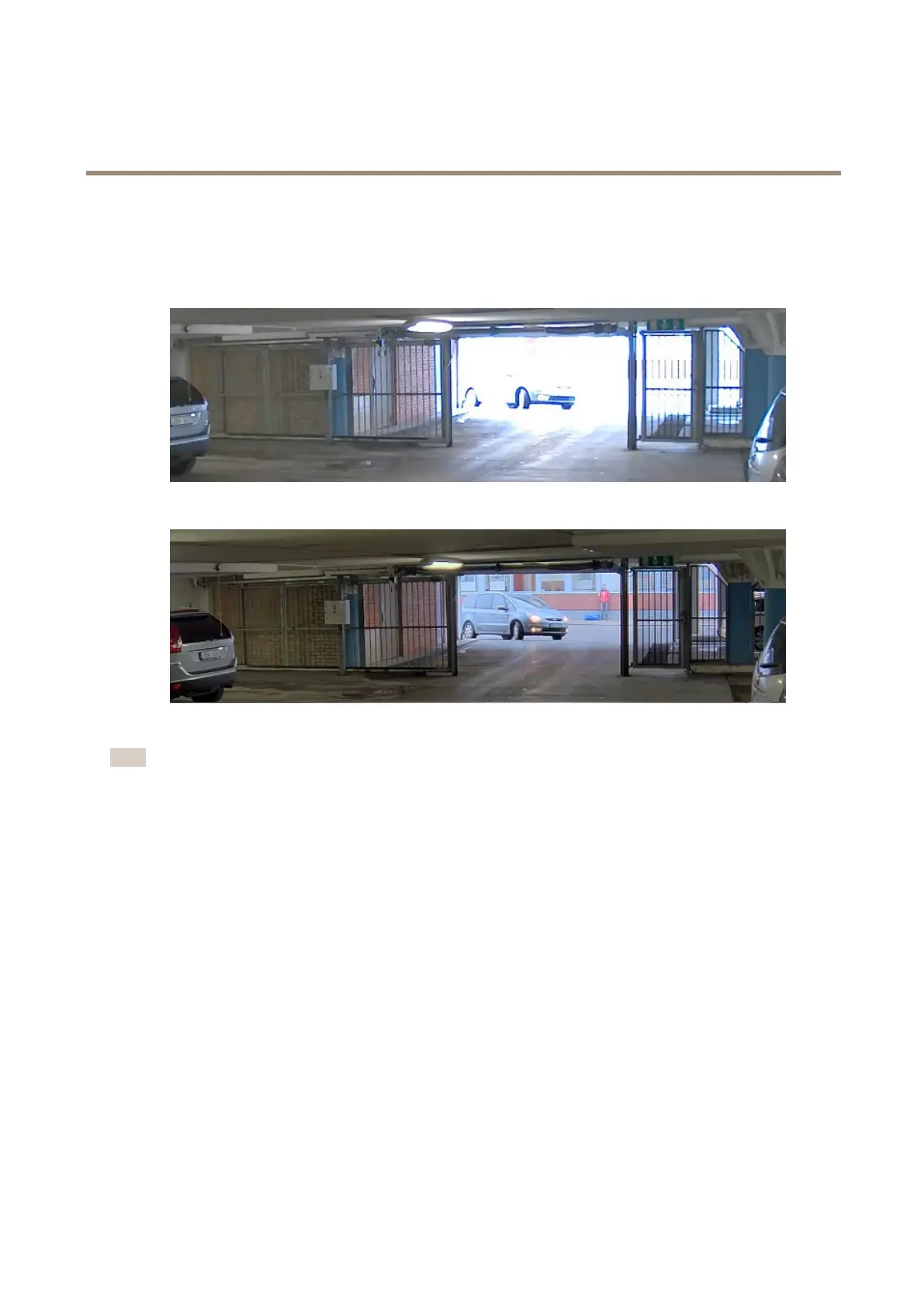
Dynamicrangeisthedifferenceinlightlevelsinanimage.Insomecasesthedifferencebetweenthedarkestandthebrightest
areascanbesignicant.Theresultisoftenanimagewhereeitherthedarkorthebrightareasarevisible.Widedynamicrange
(WDR)makesbothdarkandbrightareasoftheimagevisible.
ImagewithoutWDR.
ImagewithWDR.
Note
•WDRcancauseartifactsintheimage.
•WDRmaynotbeavailableforallcapturemodes.
1.GotoVideo>Image>Widedynamicrange.
2.TurnonWDR.
3.Ifyoustillhaveproblems,gotoExposureandadjusttheExposurezonetocovertheareaofinterest.
FindoutmoreaboutWDRandhowtouseitataxis.com/web-articles/wdr.
BenetfromIRlightinlow-lightconditionsbyusingnightmode
Yourcamerausesvisiblelighttodelivercolorimagesduringtheday.Butasthevisiblelightdiminishes,colorimagesbecomeless
brightandclear.Ifyouswitchtonightmodewhenthishappens,thecamerausesbothvisibleandnear-infraredlighttodeliverbright
anddetailedblack-and-whiteimagesinstead.Youcansetthecameratoswitchtonightmodeautomatically.
1.GotoVideo>Image>Day-nightmode,andmakesurethattheIR-cutlterissettoAuto.
2.Tosetatwhatlightlevelyouwantthecameratoswitchtonightmode,movetheThresholdslidertowardBrightorDark.
3.Tousethebuilt-inIRlightwhenthecameraisinnightmode,turnonAllowilluminationandSynchronizeillumination.
11



 To Next Page