AXISP3715-PLVENetworkCamera
Configureyourdevice
Maximizethedetailsinanimage
Important
Ifyoumaximizethedetailsinanimage,thebitratewillprobablyincreaseandyoumightgetareducedframerate.
•GotoVideo>Stream>Generalandsetthecompressionaslowaspossible.
•Belowtheliveviewimage,click
andinVideoformat,selectMJPEG.
•GotoVideo>Stream>ZipstreamandselectOff.
Handlesceneswithstrongbacklight
Dynamicrangeisthedifferenceinlightlevelsinanimage.Insomecasesthedifferencebetweenthedarkestandthebrightest
areascanbesignicant.Theresultisoftenanimagewhereeitherthedarkorthebrightareasarevisible.Widedynamicrange
(WDR)makesbothdarkandbrightareasoftheimagevisible.
1.GotoVideo>Image>Widedynamicrange.
2.UsetheLocalcontrastslidertoadjusttheamountofWDR.
3.Ifyoustillhaveproblems,gotoExposureandadjusttheExposurezonetocovertheareaofinterest.
FindoutmoreaboutWDRandhowtouseitataxis.com/web-articles/wdr.
Monitorlongandnarrowareas
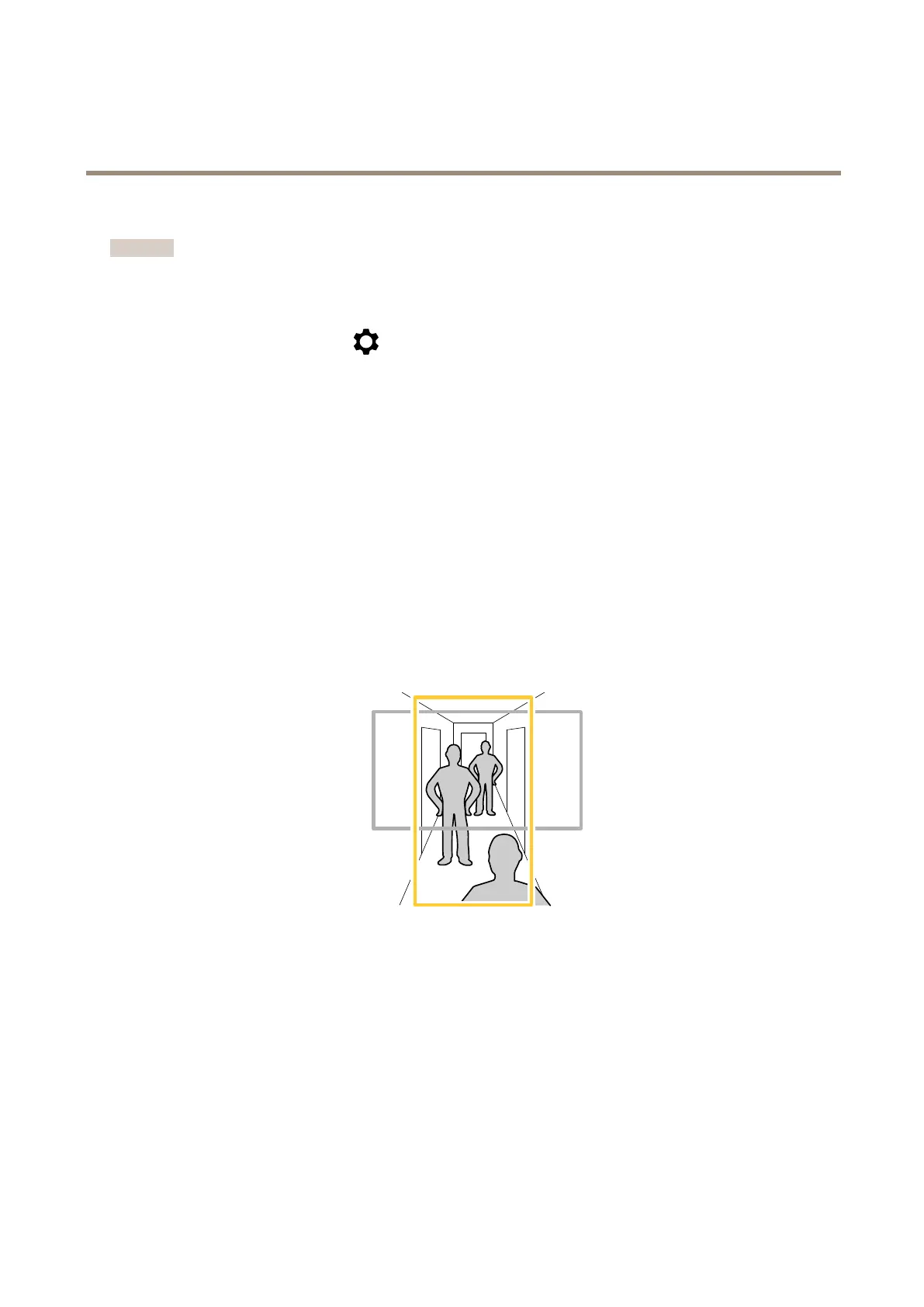
Usecorridorformattobetterutilizethefulleldofviewinalongandnarrowarea,forexampleastaircase,hallway,road,ortunnel.
1.Dependingonyourdevice,turnthecameraorthe3-axislensinthecamera90°or270°.
2.Ifthedevicedoesn’thaveautomaticrotationoftheview,gotoVideo>Installation.
3.Rotatetheview90°or270°.
Verifythepixelresolution
Toverifythatadenedpartoftheimagecontainsenoughpixelsto,forexample,recognizelicenseplates,youcanusethepixel
counter.
8



 To Next Page