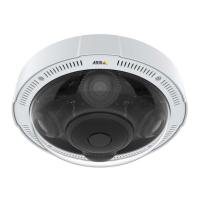
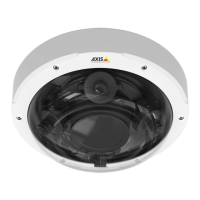
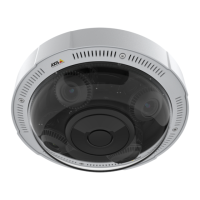
AXISP3719-PLENetworkCamera
Thedeviceinterface
ClicktoshowI/Ooutputports.Usetheswitchtoopenorclosethecircuitofaport,forexampletotestexternaldevices.
ClicktomanuallyturnonorturnofftheIRillumination.
Clicktoturnonorturnofftheavailableon-screencontrols.
Clicktomanuallyturnontheheaterforaselectedperiodoftime.
Clicktostartacontinuousrecordingofthelivevideostream.Clickagaintostoptherecording.Ifarecordingisongoing,it
willresumeautomaticallyafterareboot.
Clicktoshowthestoragethatisconguredforthedevice.Tocongurethestorageyouneedtobeloggedinasan
administrator.
Clicktoaccessmoresettings:
•Videoformat:Selecttheencodingformattouseintheliveview.Ifyouselectaformatwithvideocompression,it
resultsinahigherCPUandmemoryusage.
•Clientstreaminformation:Turnontoshowdynamicinformationaboutthevideostreamusedbythebrowserthat
showsthelivevideostream.Thebitrateinformationdiffersfromtheinformationshowninatextoverlay,becauseof
differentinformationsources.Thebitrateintheclientstreaminformationisthebitrateofthelastsecond,andit
comesfromtheencodingdriverofthedevice.Thebitrateintheoverlayistheaveragebitrateofthelast5seconds,
anditcomesfromthebrowser.Bothvaluescoveronlytherawvideostreamandnottheadditionalbandwidth
generatedwhenit’stransportedoverthenetworkthroughUDP/TCP/HTTP.
•Adaptivestream:Turnontoadapttheimageresolutiontotheviewingclient’sactualdisplayresolution,toincrease
theuserexperienceandhelppreventapossibleoverloadoftheclient’shardware.Theadaptivestreamisonly
appliedwhenyouviewthelivevideostreaminthewebinterfaceinabrowser.Whenadaptivestreamisturnedon,
themaximumframerateis30fps.Ifyoutakeasnapshotwhileadaptivestreamisturnedon,itwillusetheimage
resolutionselectedbytheadaptivestream.
•Levelgrid:Click
toshowthelevelgrid.Thegridhelpsyoudecideiftheimageishorizontallyaligned.Click
tohideit.
•Refresh:Click
torefreshthestillimageintheliveview.
Clicktoshowtheliveviewatfullresolution.Ifthefullresolutionislargerthanyourscreensize,usethesmallerimageto
navigateintheimage.
Clicktoshowthelivevideostreaminfullscreen.PressESCtoexitfullscreenmode.
Installation
Capturemode:Acapturemodeisapresetcongurationthatdeneshowthecameracapturesimages.Whenyouchangethe
capturemode,itcanaffectmanyothersettings,suchasviewareasandprivacymasks.
Mountingposition:Theorientationoftheimagecanchangedependingonhowthecameraismounted.
Powerlinefrequency:Selectthefrequencythatisusedinyourregiontominimizeimageicker.TheAmericanregions
usuallyuse60Hz.Therestoftheworldmostlyuses50Hz.Ifyou'renotsureofyourregion'spowerlinefrequency,check
withthelocalauthorities.
14


 To Next Page