Need help?
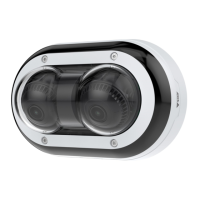
Do you have a question about the Axis P4707-PLVE and is the answer not in the manual?
Steps for finding, accessing, and creating the primary administrator account for the device.
Guidelines for secure passwords and verifying firmware integrity.
Configuring fundamental settings like power line frequency, orientation, zoom, and focus.
Adjusting exposure modes, IR illumination, and noise reduction for optimal image quality.
Reducing bandwidth, setting up network storage, and configuring video recording.
Creating rules to record video based on detected events like object presence.
Accessing the web interface, viewing status, and understanding security settings.
Configuring image appearance, exposure, video streams, and bitrate control.
Managing network settings, security protocols, accounts, events, and ONVIF integration.
Procedures for resetting the device to factory defaults and managing firmware versions.
Diagnosing issues with browser login, streaming, IP address, and connectivity.
Understanding factors affecting performance and how to contact support for assistance.
Identifying physical components and understanding status LED meanings.
Details on SD card slots, buttons, network, and audio connectors.
Exploring features like remote focus, privacy masks, and overlays for enhanced functionality.
Understanding video formats, bitrate control, and device security features.
 General
| Brand | Axis |
|---|---|
| Model | P4707-PLVE |
| Category | Security Camera |
| Language | English |

 To Next Page