8
AXIS P5532-E/P5534-E - Accessing the Camera
Setting the root password
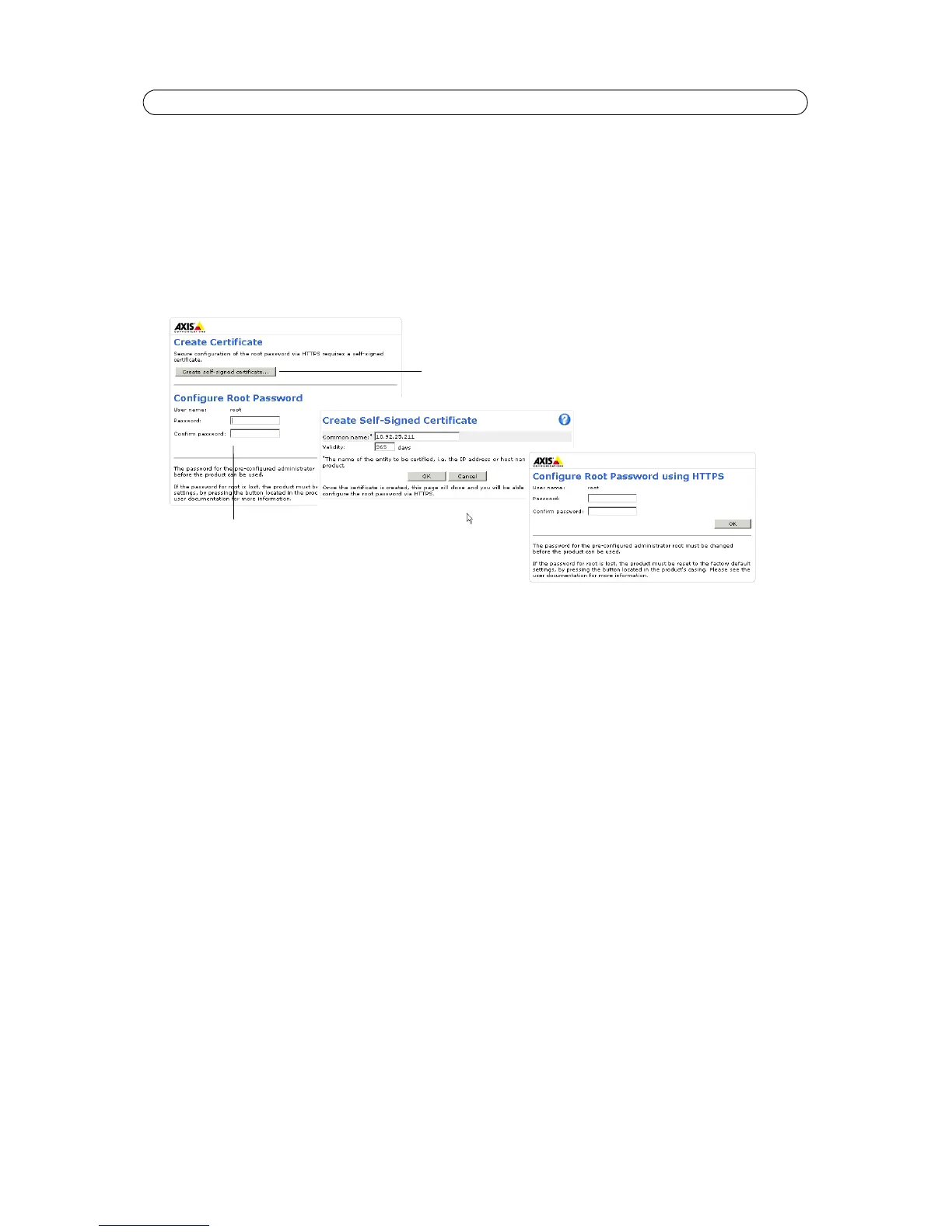
To gain access to the product, you must set the password for the default administrator user - ‘root’. This is done in the
‘Configure Root Password’ dialog, which is displayed when the network camera is accessed for the first time. To prevent
network eavesdropping the root password can be set via an encrypted HTTPS connection, which requires an HTTPS certificate
Note:
HTTPS (Hypertext Transfer
Protocol over SSL) is a protocol used to encrypt the traffic between web browsers and serv-
ers. The HTTPS certificate ensures encrypted exchange of information.
To set the password via a standard HTTP connection, enter it direct
ly in the first dialog shown above.
To set the password via an encrypted HTTPS connection, follow these steps:
1. Click Create self-signed certificate.
2. Provide the requested information and click OK. The certificate is created and the password can now be set securely.
All traffic to and from the network camera is encrypted from this point on.
3. Enter a password and then re-enter it to confirm the spelling. Click OK. The password has now been configured.
Notes:
• The default administrator user name ‘root‘ is permanent and cannot be deleted.
• If the password for root is lost, the camera must be reset to the factory default settings. See page 39.
• If prompted, click Yes to install AXIS Media Control, which allows viewing of the video stream in Internet Explorer.
You will need administrator rights on the computer to do this. If using Windows 7 or Windows Vista, you must also
run Internet Explorer as administrator; right-click the Internet Explorer icon and select Run as Administrator.
To configure the password
directly via an unencrypted
connection, enter the password here.
To create an HTTPS connection,
start by clicking this button.



 To Next Page