AXISQ17Series
Howtorepainttheproduct
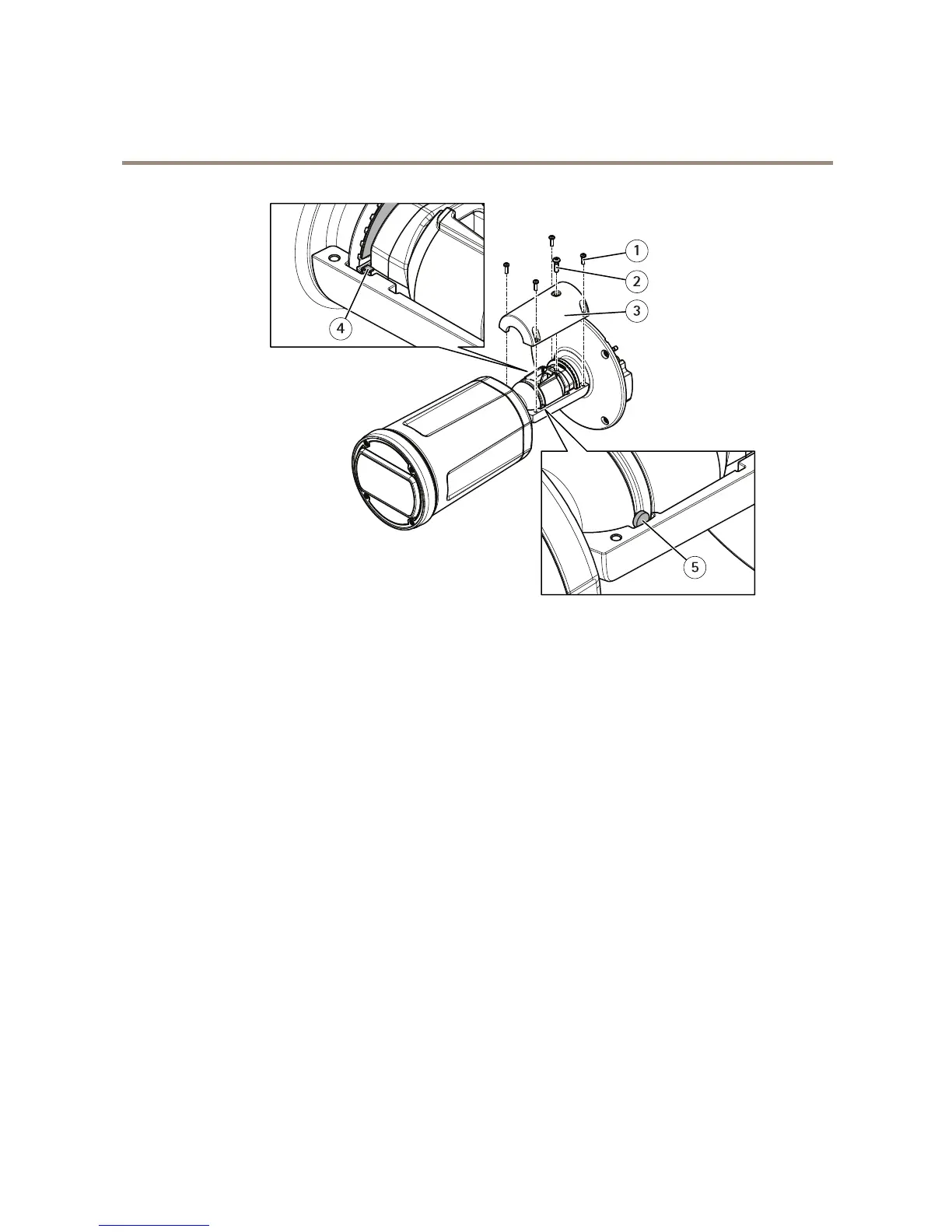
1
Screw
2
Screw
3
Cover
4
Washer
5
Pin
5.Makesurethatthetabonthewasherisintherecessinthecover.
6.Placethepinintherecessinthecover.
7.Attachthecover,thefourscrews,andthelockscrew.Donottightenthescrews.
8.Tightenthefourscrewswith1Nm(0.7lbft)tighteningtorque.
9.Assemblethememorycardcover.
10.Assembletheweathershield.
9



 To Next Page