AXISQ3505–VEFixedDomeNetworkCamera
AccesstheProduct
ControlsontheLiveViewPage
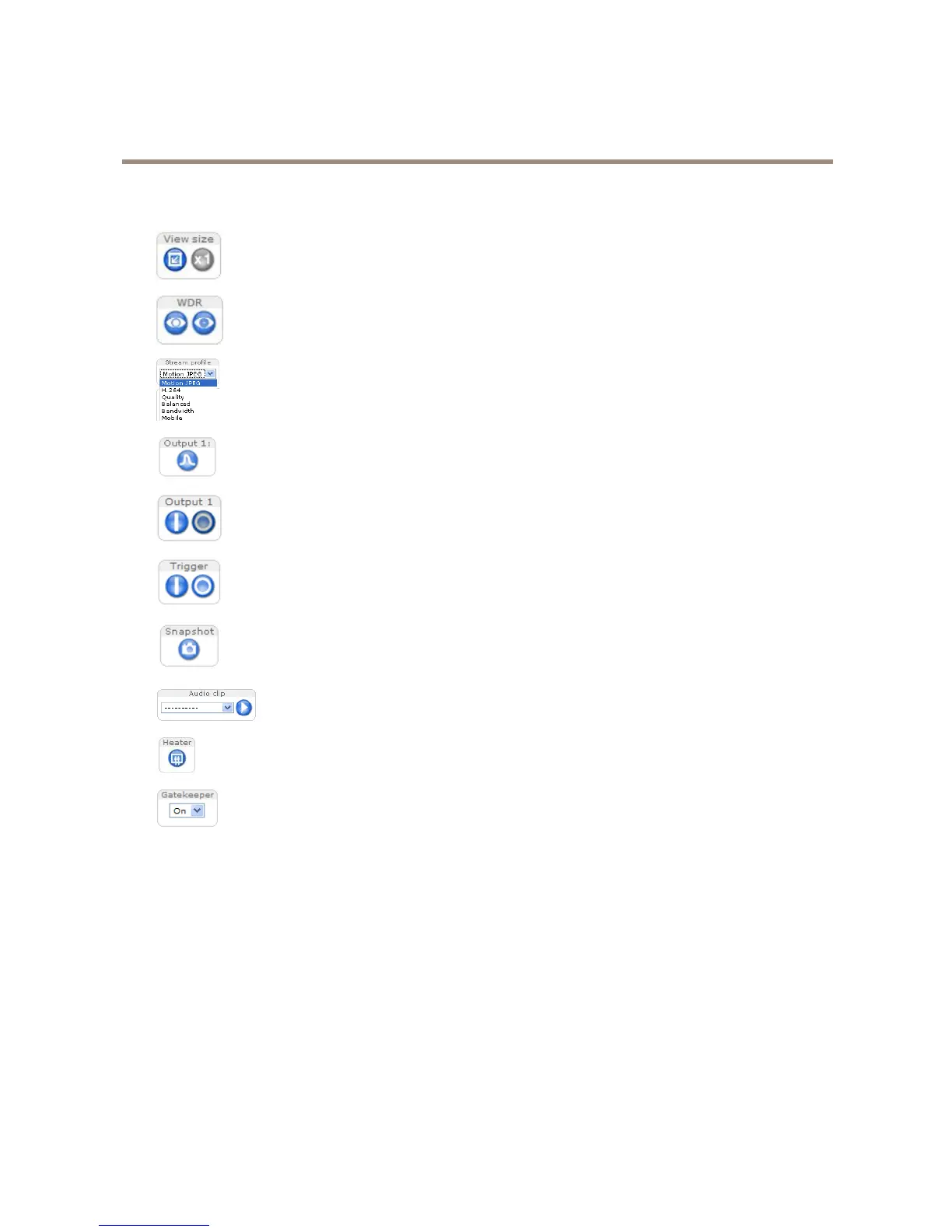
ClickViewsizetoscaletheimagedownto800pixelswideortofullscale.OnlyavailableinMJPEG.
ClickWDRontoenableWDRinintensebacklightconditions.ClickWDRofftodisableWDRinlowlight
conditionsforoptimalexposure.
SelectastreamprolefortheLiveViewpagefromtheStreamProledrop-downlist.Forinformationabouthow
tocongurestreamproles,seepage20.
ClickPulsetoactivatetheproduct’soutputportforadenedperiodoftime.Forinformationabouthowto
enableandcongureoutputbuttons,seepage30.
ClicktheActive/Inactivebuttonstomanuallyactivateandinactivetheproduct’soutputport.Forinformation
abouthowtoenableandcongureoutputbuttons,seepage30.
TheManualTriggerbuttonisusedtotriggeranactionrulefromtheLiveViewpage.Forinformationabouthowto
congureandenablethebutton,seeManualTriggeronpage11.
ClickSnapshottosaveasnapshotofthevideoimage.Thisbuttonisprimarilyintendedforusewhenthe
AXISMediaControlviewertoolbarisnotavailable.EnablethisbuttonfromLiveViewCong>ActionButtons.
TheAudioclipdrop-downlistallowsyoutoplayanaudioclipfromtheLiveViewpage.Selectthe
audioclipandclickthePlaybutton.
Activatetheproduct’sheaterwiththisbutton.EnablethisbuttonfromLiveViewCong>ActionButtons.
EnableordisabletheGatekeeperbyselectingOnorOfffromthedrop-downlist.ReadmoreabouttheGatekeeper
onpage31.
ManualTrigger
TheManualTriggerisusedtotriggeranactionrulefromtheLiveViewpage.Themanualtriggercanforexamplebeusedto
validateactionsduringproductinstallationandconguration.
Tocongurethemanualtrigger:
1.GotoSetup>Events.
2.ClickAddtoaddanewactionrule.
3.FromtheTriggerdrop-downlist,selectInputSignal.
4.Fromtheseconddrop-downlist,selectManualTrigger.
5.Selectthedesiredactionandconguretheothersettingsasrequired.
Formoreinformationaboutactionrules,seeEventsonpage38.
11



 To Next Page