EasyManua.ls Logo

Axis Q3505–VE - Hardware Overview; Connectors and Buttons

Axis Q3505–VE
69 pages
Print Icon
To Next Page IconTo Next Page
To Previous Page IconTo Previous Page
Loading...
AXISQ3505–VEFixedDomeNetworkCamera
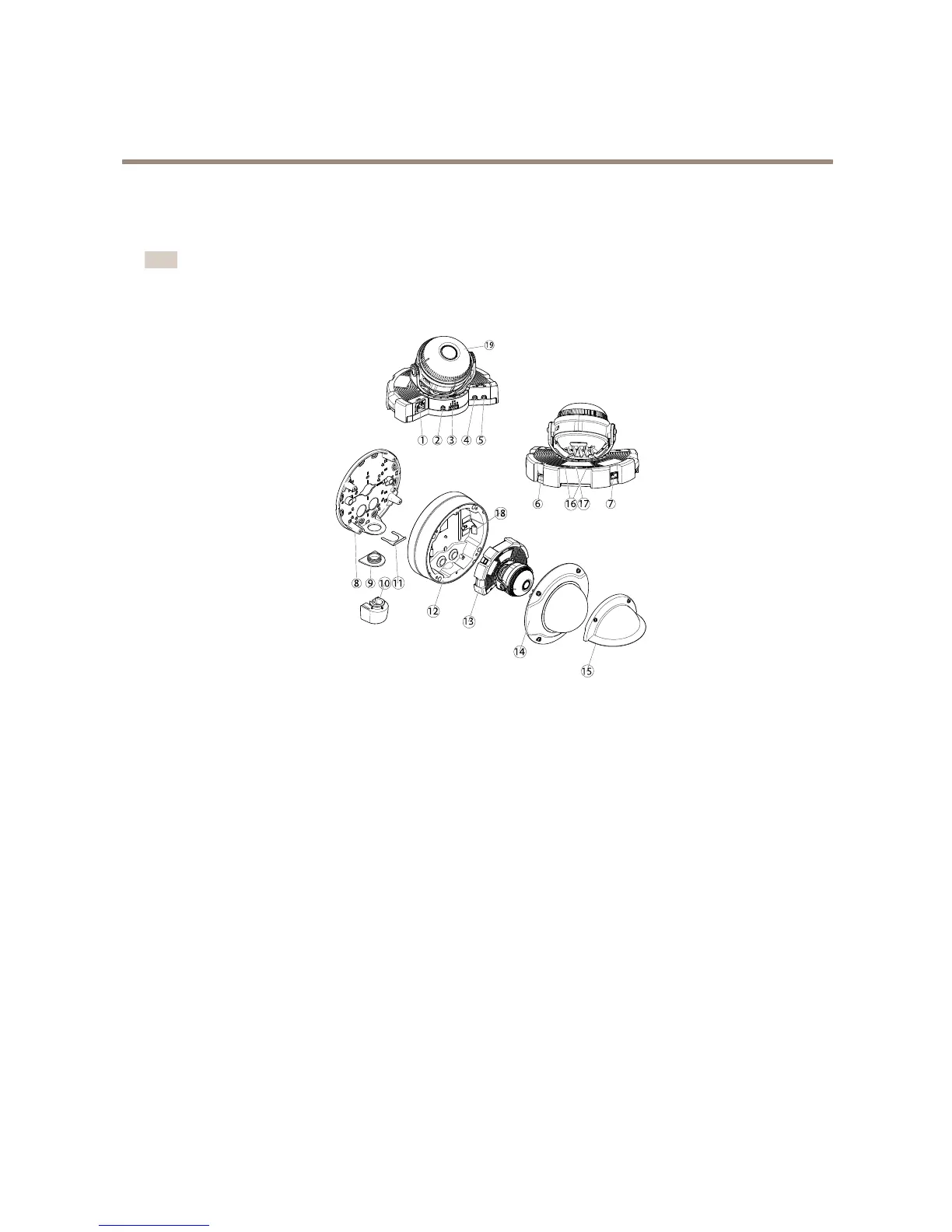
HardwareOverview
HardwareOverview
Note
3–9mmlens:Pressingthelenstoohardwhilecleaningmaycausethelenstomovedown.Ifthishappenswhilethe
cameraisinoperation,re-calibratetheopticsbyclickingCalibratefromtheServerMaintenancewebpage(System
Options>Maintenance).
8 9 11
12
18
13
14
15
1 2 3 4 5
6 16
17
7
10
19
1.
Networkconnector
2.
Controlbutton
3.
I/Oconnector
4.
Audioout
5.
Audioin
6.
SDcardslot
7.
AC/DCconnectorforpoweraccessory
8.
Mountingbracket
9.
Sidelidcoveringsideholeinmountingbracket
10.
Conduitadaptor
11.
Lockingclip
12.
Unitcasing
13.
Cameraunit
14.
Domecover
15.
Weathershield
16.
StatusLed
17.
Functionbutton
18.
Springinunitcasing
19.
HeaterCaution! Caution!
Caution!
Theheatermaybehot
ConnectorsandButtons
Fortechnicalspecications,seepage63.
6

Other manuals for Axis Q3505–VE

Related product manuals