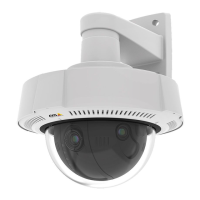
AXISQ3708-PVENetworkCamera
AccesstheProduct
ThePlaybuttonconnectstotheAxisproductandstartsplayingamediastream.
TheStopbuttonstopsthemediastream.
ClicktheViewFullScreenbuttonandthevideoimagewilllltheentirescreen.PressESC(Escape)onthecomputer
keyboardtocancelfullscreenview.
TheRecordbuttonisusedtorecordthecurrentvideostreamonyourcomputer.Thelocationwheretherecordingissaved
canbespeciedintheAMCControlPanel.EnablethisbuttonfromLiveViewCong>ViewerSettings.
ChannelConguration
Whereapplicable,theAxisproductenablesindividualsetupforthedifferentchannels;LeftChannel,CenterChannelandRight
Channel.
Onpages,suchasPrivacyMasksthechannelsarerepresentedbytabs,onwhichtheindividualsettingsaremade.
Settings,suchasImageAppearanceandWhiteBalance,canbeexpandedorcollapsedtoenableindividualorcommonconguration
respectively.ToexpandthesettingsfortheindividualchannelsselectExpandallchannelsabovethecurrentsetting.
12


 To Next Page