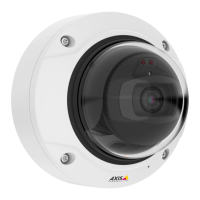
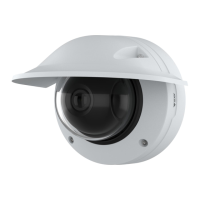
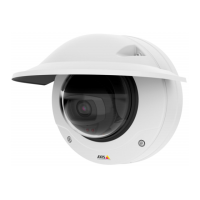
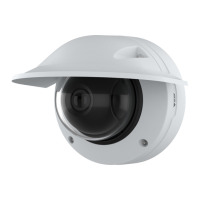
AXISQ3819-PVENetworkCamera
Configureyourdevice
Configureyourdevice
Basicsettings
Setthemountingposition
1.GotoVideo>Installation>Mountingposition.
2.ClickChange.
3.SelectamountingpositionandclickSaveandrestart.
Setthepowerlinefrequency
1.GotoVideo>Installation>Powerlinefrequency.
2.ClickChange.
3.SelectapowerlinefrequencyandclickSaveandrestart.
Adjusttheimage
Thissectionincludesinstructionsaboutconguringyourdevice.Ifyouwanttolearnmoreabouthowcertainfeatureswork,go
toLearnmoreonpage50.
Levelthecamera
Toadjusttheviewinrelationtoareferenceareaoranobject,usethelevelgridincombinationwithamechanicaladjustment
ofthecamera.
1.GotoVideo>Image>andclick
.
2.Click
toshowthelevelgrid.
3.Adjustthecameramechanicallyuntilthepositionofthereferenceareaortheobjectisalignedwiththelevelgrid.
BenetfromIRlightinlow-lightconditionsbyusingnightmode
Yourcamerausesvisiblelighttodelivercolorimagesduringtheday.Butasthevisiblelightdiminishes,colorimagesbecomeless
brightandclear.Ifyouswitchtonightmodewhenthishappens,thecamerausesbothvisibleandnear-infraredlighttodeliverbright
anddetailedblack-and-whiteimagesinstead.Youcansetthecameratoswitchtonightmodeautomatically.
1.GotoVideo>Image>Day-nightmode,andmakesurethattheIR-cutlterissettoAuto.
2.Tosetatwhatlightlevelyouwantthecameratoswitchtonightmode,movetheThresholdslidertowardBrightorDark.
Note
Ifyousettheswitchtonightmodetooccurwhenit’sbrighter,theimageremainssharperasthereislesslow-lightnoise.If
yousettheswitchtooccurwhenit’sdarker,theimagecolorsaremaintainedforlonger,butthereismoreimageblurdue
tolow-lightnoise.
Reducemotionblurinlow-lightconditions
Toreducemotionblurinlow-lightconditions,adjustoneormoreofthefollowingsettingsinVideo>Image>Exposure:
•MovetheBlur-noisetrade-offslidertowardLowmotionblur.
6



 To Next Page