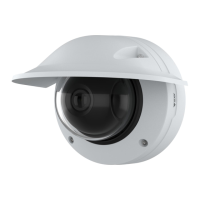
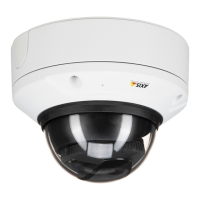
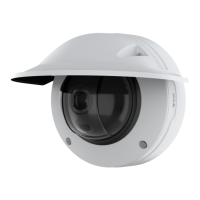
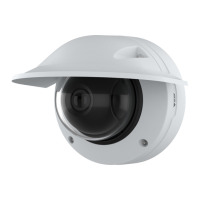
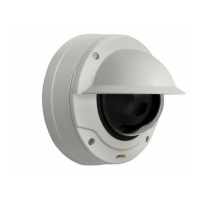
AXISQ3819-PVENetworkCamera
Configureyourdevice
7.Selecttheimageandaposition.Youcanalsodragtheoverlayimageintheliveviewtochangetheposition.
Viewandrecordvideo
Thissectionincludesinstructionsaboutconguringyourdevice.Tolearnmoreabouthowstreamingandstorageworks,goto
Streamingandstorageonpage50.
Reducebandwidthandstorage
Important
Reducingthebandwidthcanleadtolossofdetailintheimage.
1.GotoVideo>Stream.
2.Click
intheliveview.
3.SelectVideoformatH.264.
4.GotoVideo>Stream>GeneralandincreaseCompression.
5.GotoVideo>Stream>Zipstreamanddooneormoreofthefollowing:
Note
TheZipstreamsettingsareusedforbothH.264andH.265.
-SelecttheZipstreamStrengththatyouwanttouse.
-TurnonOptimizeforstorage.ThiscanonlybeusediftheVMSsupportsB-frames.
-TurnonDynamicFPS.
-TurnonDynamicGOPandsetahighUpperlimitGOPlengthvalue.
Note
Mostwebbrowsersdon’tsupportH.265decodingandbecauseofthisthedevicedoesn’tsupportitinitswebinterface.
InsteadyoucanuseavideomanagementsystemorapplicationthatsupportsH.265decoding.
Viewalivevideostreamonamonitor
Setupnetworkstorage
Tostorerecordingsonthenetwork,youneedtosetupyournetworkstorage.
1.GotoSystem>Storage.
2.Click
AddnetworkstorageunderNetworkstorage.
3.TypetheIPaddressofthehostserver.
4.TypethenameofthesharedlocationonthehostserverunderNetworkshare.
5.Typetheusernameandpassword.
6.SelecttheSMBversionorleaveitonAuto.
7.SelectAddshareevenifconnectionfailsifyouexperiencetemporaryconnectionissues,oriftheshareisnotyet
congured.
9



 To Next Page