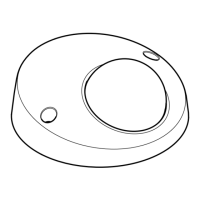
AXISQ6054MkIIIPTZNetworkCamera
Setup
7.Choosealignment,textsizeandappearance.
8.Includethetextoverlay.
Createanactionrule:
9.GotoSystem>Events>Actionrules.
10.CreateanactionrulewithAXISVideoMotionDetectionastrigger.
11.Fromthelistofactions,selectOverlaytext.
12.Type“Motiondetected”.
13.Settheduration.
Note
Ifyouupdatetheoverlaytextitwillbeautomaticallyupdatedonallvideostreamsdynamically.
Howtodisplaythepanortiltpositionasatextoverlay
Itmaybeusefultoretrieve,forinstancefromarecordedvideo,thepanortiltpositionindegreesinwhichaneventhastakenplace.
Thiscanbeobtainedbyincludingthepositionintheimageasatextoverlay,usingaso-calledmodier.
1.GotoSettings>Overlay.
2.Inthetexteld,enter#xtoshowthepanposition.
Enter#ytoshowthetiltposition.
3.Choosealignment,textsizeandappearance.
4.Includethetextoverlay.
5.Thecurrentpanandtiltpositionsshowupintheliveviewimageandintherecording.
PTZ(PanTiltZoom)
Howtolimitpan,tilt,andzoommovements
Inthisexample,thecameraissurveillingaparkinglotwithnearbyapartmentbuildings.Setpan,tiltandzoomlimitstoensure
privacyforresidents.
Tolimitpan,tiltandzoommovements,gotoSettings>PTZ>Limits.
Streamingandstorage
Howtochoosevideocompressionformat
Decidewhichcompressionmethodtousebasedonyourviewingrequirements,andonthepropertiesofyournetwork.The
availableoptionsare:
MotionJPEG
MotionJPEGorMJPEGisadigitalvideosequencethatismadeupofaseriesofindividualJPEGimages.Theseimagesarethen
displayedandupdatedataratesufcienttocreateastreamthatshowsconstantlyupdatedmotion.Fortheviewertoperceivemotion
videotheratemustbeatleast16imageframespersecond.Fullmotionvideoisperceivedat30(NTSC)or25(PAL)framespersecond.
TheMotionJPEGstreamusesconsiderableamountsofbandwidth,butprovidesexcellentimagequalityandaccesstoeveryimage
containedinthestream.
11



 To Next Page
 Loading...