AXISQ6054MkIIIPTZNetworkCamera
Setup
Howtoreducenoiseinlow-lightconditions
Toreducenoiseinlow-lightconditions,youcanadjustoneormoreofthefollowingsettings:
•Makesurethattheexposuremodeisautomatic.
Note
Increasingthemaxshuttervaluecanresultinmotionblur.
•Theshutterspeedshouldbeasslowaspossible,whichmeansyoushouldsetmaxshuttertothehighestpossiblevalue.
•Reducesharpnessintheimage.
•Tryloweringthemaxgainvalue.
Howtomaximizedetailsinanimage
Important
Ifyoumaximizedetailsinanimage,bitrateincreasesandmightleadtoreducedframerate.
•Makesuretoselectcapturemodethathasthehighestresolution.
•Setcompressionaslowaspossible.
•SelectMJPEGstreaming.
•TurnofftheZipstreamfunctionality.
Howtohandlesceneswithstrongbacklight
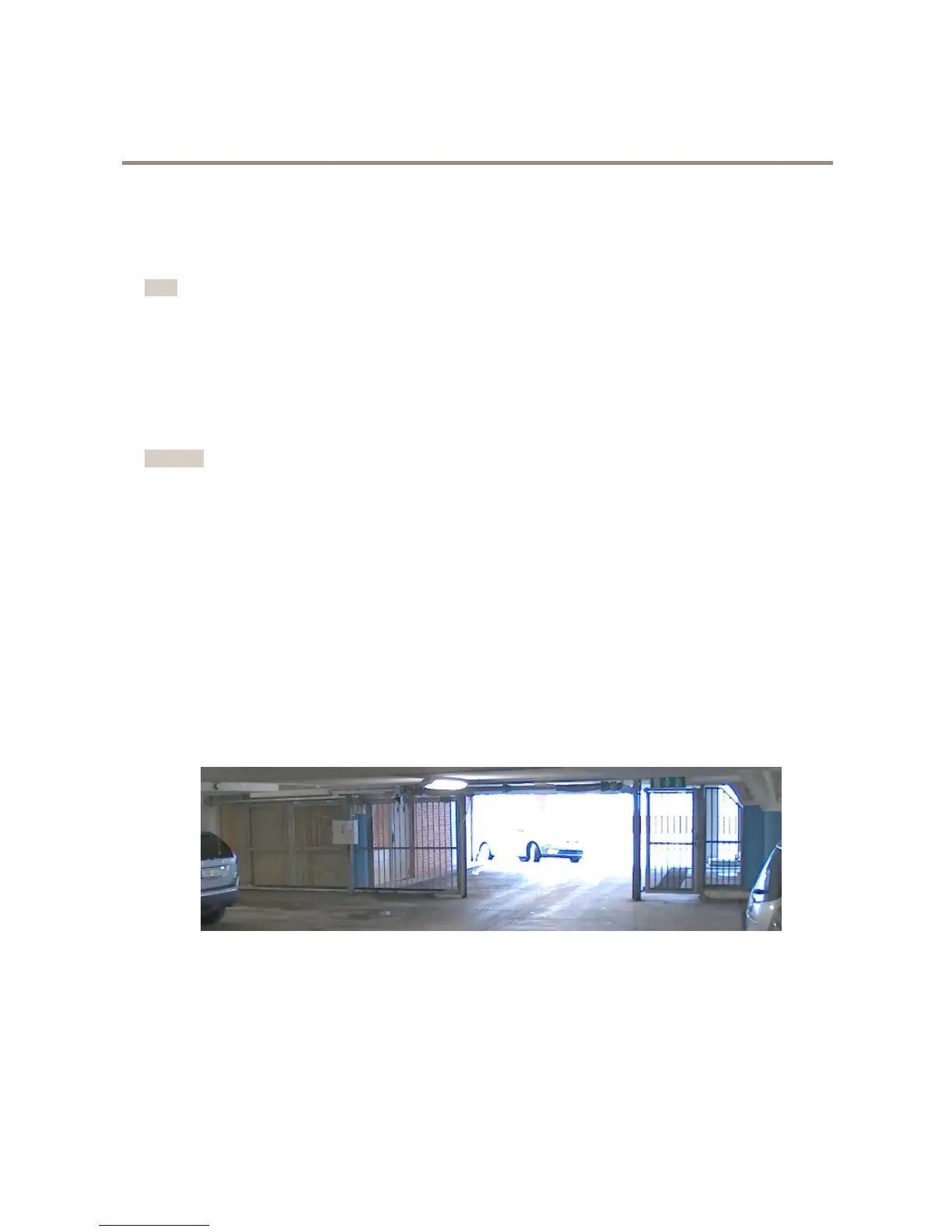
Dynamicrangeisthedifferenceinlightlevelsinanimage.Insomecasesthedifferencebetweenthedarkestandthebrightest
areascanbesignicant.Theresultisoftenanimagewhereeitherthedarkorthebrightareasarevisible.Widedynamicrange
(WDR)makesbothdarkandbrightareasoftheimagevisible.
1.GotoSettings>Image.
2.TurnonWDRunderWidedynamicrange.
ImagewithoutWDR.
9



 To Next Page
 Loading...