EasyManua.ls Logo

Axis T8121 - User Manual

Axis T8121
44 pages
Print Icon
To Next Page IconTo Next Page
Loading...
ENGLISH DEUTSCH
ITALIANO
ESPAÑOL
INSTALLATION GUIDE
FRAN
Ç
AIS
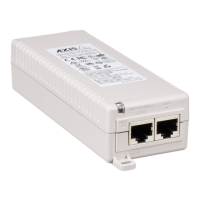
AXIS T8121 High PoE Midspan 1-port
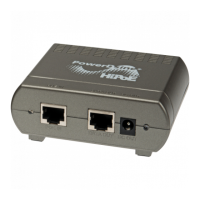
AXIS T8126 High PoE Splitter 12V
AXIS T8128 High PoE Splitter 24V

Questions and Answers

  • C
    Christine VargasAug 10, 2025
    What to do if the Axis T8121 Switch port indicator is not lit and the PD doesn't operate?
    • D
      Dominique LeeAug 10, 2025
      If the port indicator is not lit and the powered device (PD) isn't working, it could be due to several reasons. First, make sure the PD is designed for PoE operation. Verify that you're using a standard Category 5/5e/6 straight-wired cable with four pairs. Check if the input Ethernet cable is connected to the Data In port and the PD to the Data & Power port. If you're using an external power splitter, try replacing it. Also, check for any shortcuts in the twisted pair cables or RJ45 connectors. Trying the same PD on a different Midspan can help identify a faulty port or RJ-45 connection. It is possible that the midspan did not detect a PD or the port is not enabled.
  • J
    Judith BrownAug 20, 2025
    Why is my Axis Switch midspan not powering up?
    • J
      Jill HarrisAug 20, 2025
      If the midspan is not powering up, verify that an approved power cable is used. Also, check that the voltage at the power inlet is between 100 and 240V AC. Try removing and reapplying power to the device and observe the indicators during the power-up sequence.
  • J
    Jeffery Moore PhDAug 30, 2025
    What to do if the end device operates but there is no data link on Axis T8121?
    • B
      Brian HamptonAug 30, 2025
      If the end device operates but there is no data link, first verify that the port indicator on the front panel is continuously lit. If you're using an external power splitter, replace it with a known good one. Ensure you are using standard UTP/FTP Category 5 straight cabling with all four pairs for this link. Also, confirm that the Ethernet cable length is less than 100 meters (33 feet) from the Ethernet source to the powered device. Trying a different midspan can help determine if there's a faulty port or RJ-45 connection.

Axis T8121 Specifications

General IconGeneral
BrandAxis
ModelT8121
CategorySwitch
LanguageEnglish

Related product manuals