Page 4 High PoE Midspan and Splitters Installation Guide
Installation
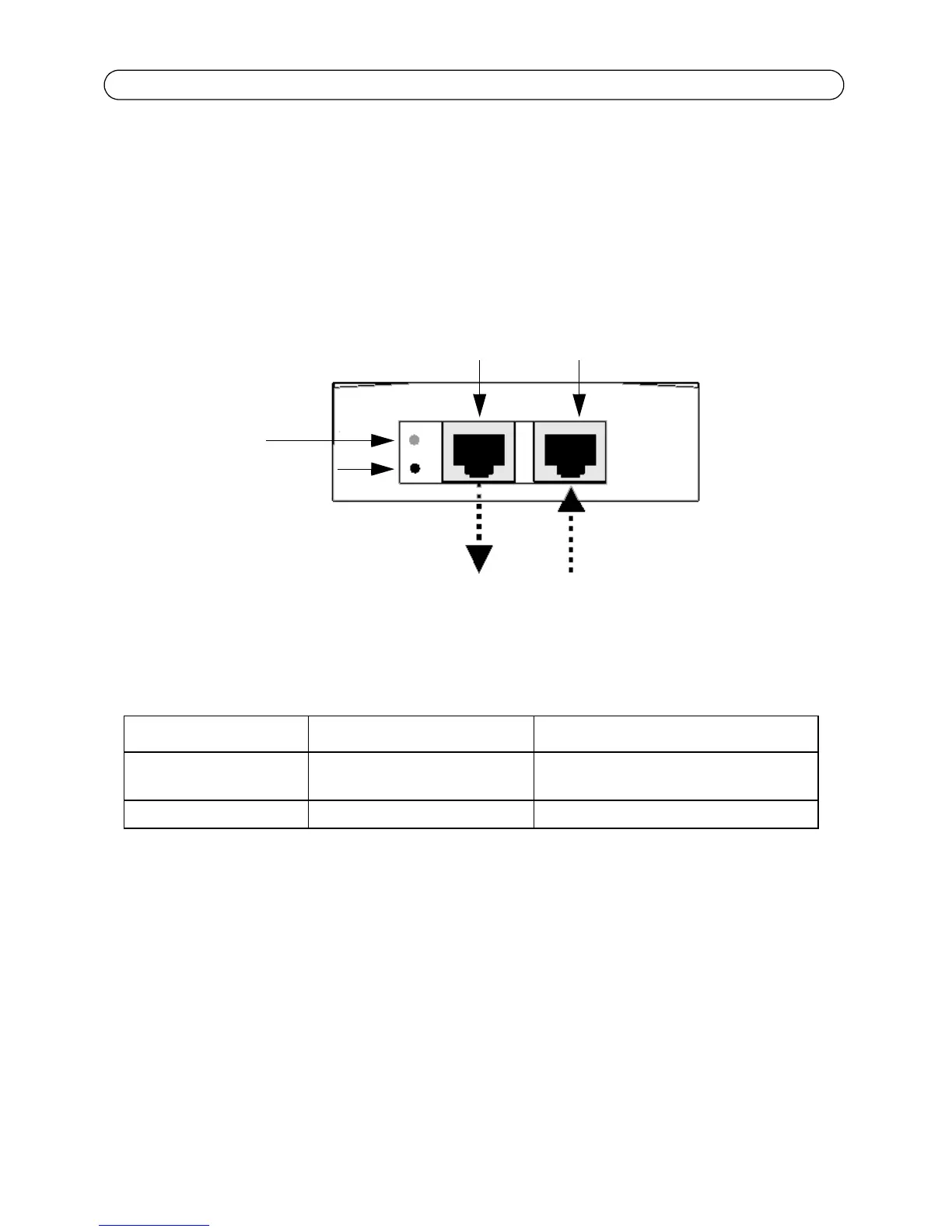
1. Connect the AXIS T8121 to an AC outlet (100-240 VAC), using a standard power cable.
2. Connect the unit Data In jack (input) to your remote Ethernet network switch using an Ethernet
cable.
3. Connect the Data & Power Out jack (output) to your Axis splitter or camera, using an Ethernet
cable.
Indicators
LED AC (Main) Port
Green Indicates that the power is on
(power is active)
Indicates that a remote terminal is con-
nected.
Green blinking Output voltage is out of range Overload or short circuit
Output port Input port
Camera/splitters Ethernet
Data and Power out Data in
Port connectivity
indicator
AC Input connectivity
indicator


 To Next Page