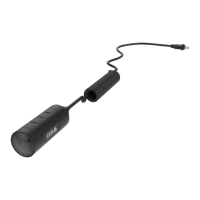
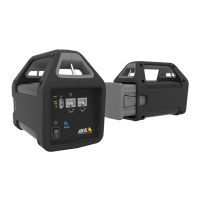
AXIST8415WirelessInstallationTool
Troubleshooting
•CannotndSSID.
-CheckthattheWLANindicatorislit.
-Selectadifferentchannel.
-Makesurethehandhelddevicesupports5GHzmode,ifnotswitchto
2.4GHzmodeonAXIST8415.
•Nocameraintheappcameralist
-CheckthattheWLANindicatorislit.
-Thestart-uptimeforcamerasvariesfordifferentproducts.Itmaytakeafew
minutesbeforethecameraisvisible.PressRefreshtoupdatetheCamera
listpage.
-MakesureBonjourisactivatedontheAxisproduct.
-MakesurethecameradonothaveanIP-addressintherange10.252.252.X
•CannotlogintoAXIST8415webinterfacewhenusingnetworkcableandaPC.
-Makesurethenetworkcableisconnectedtothecorrectport(NET).
•NocamerainCameraList(webinterface),whenusinglaptopforinstallation.
-Makesurethenetworkcablesareconnectedtocorrectports:
CAM:Connecttocamera
NET:Connecttolaptop
-MakesurethecameraandAXIST8415areonthesameIP-addressrange.
-MakesurethatAXIST8415isusedasdefaultgateway.
-MakesurethecameradonothaveanIP-addressintherange10.252.252.X
•Lowfpsintheimagewhenusingtheapp.
-ChecktheWLANindicatoronthehandhelddeviceforsignalstrength.
-Makesurethewirelessnetworkissetto5GHz
-Selectadifferentchannel.
Belowlistisapplicablewhentryingtodiscoveranon-AxiscamerawithOnvifsupport.
•ThecameraissettodynamicIP-addressbutthereisnoDHCPserveronthenetwork.
-ActivatetheonboardDHCPserveronAXIST8415.
•ThecameraissettodynamicIP-addressandthereisaDHCPserveronthenetwork.
-CongureAXIST8415fordynamicIPaddress.
•ThecamerahaveaxedIP-address.
-CongureAXIST8415tohaveanIP-addressonthesamerangeasthecamera.
19


 To Next Page