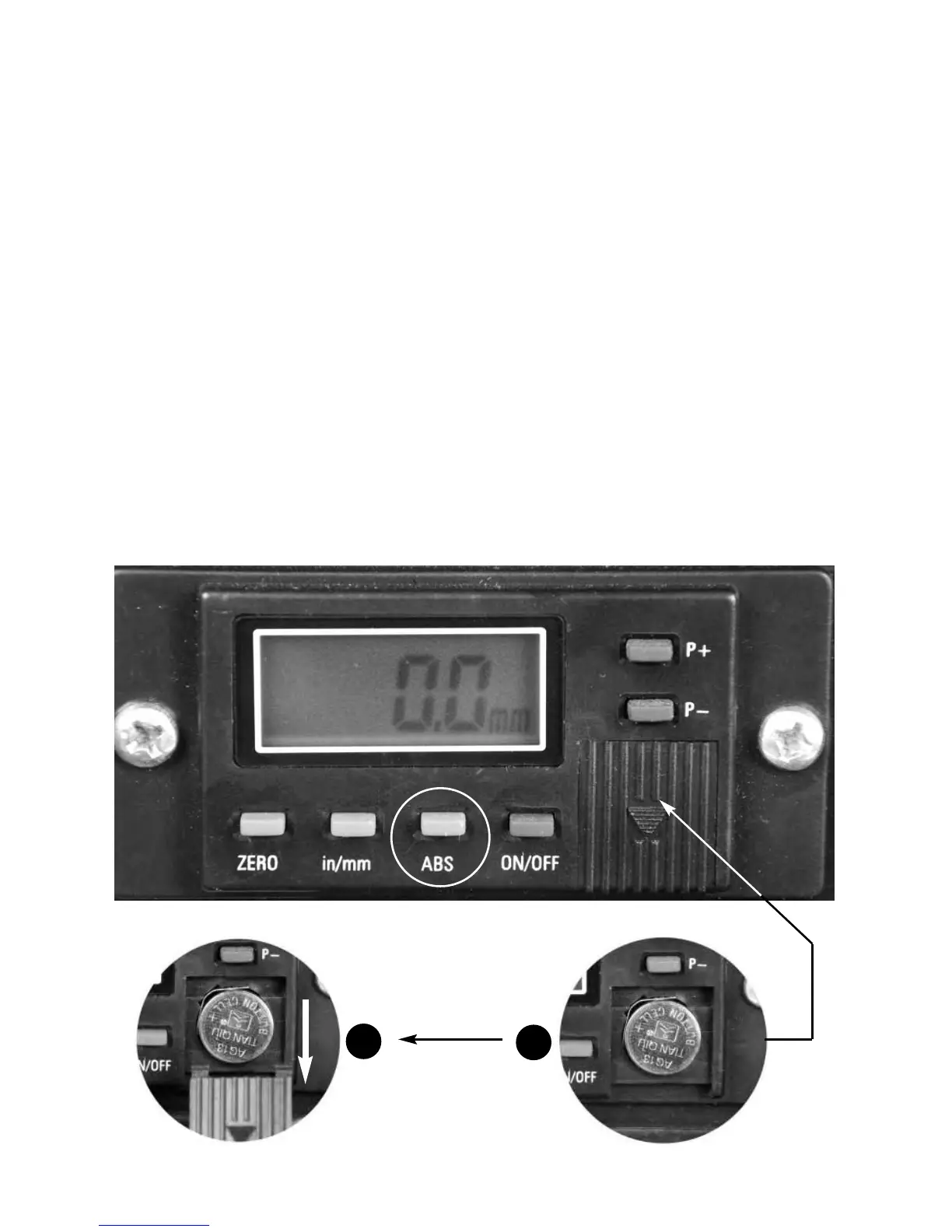
Removing battery cover
1.2 volt zinc button battery
A
B
OPERATING INSTRUCTIONS...cont
ABS Button
This button enables the reading to be ‘split’ and totalised. Example below in (mm):
Press the ABS button, the word “INC” appears on the display.
1. Set the pointer to zero on the scale & press the “Zero” button. DRO reads 00
2. Raise the thicknesser. DRO reads 25mm
3. Press the ABS button. DRO reads 00
4. Raise the thicknesser. DRO reads 20mm
5. Press the ABS button. DRO reads 45mm
6. Press the ABS button. DRO reads 00
7. Raise thicknesser. DRO reads 15mm
8. Press the ABS button once more. DRO reads 60mm
ABS works equally in imperial.
22



 To Next Page