ASSEMBLY
9
DISCONNECT THE SAW FROM
THE MAINS SUPPLY!
Setting the Blade Guides
1) Loosen the blade guide clamp and lower the upper blade
guide to approximately 1 1/2”(38mm) above the table, secure
in place.
2) Loosen the grub screw (A) holding the guide assembly in
place, adjust the fore and aft position so that the leading edge
of the guide bearing are approximately 2mm behind the gullets
of the saw blade. Re-tighten the grub screw, see fig 09-10-11.
Fig 09-10-11
A
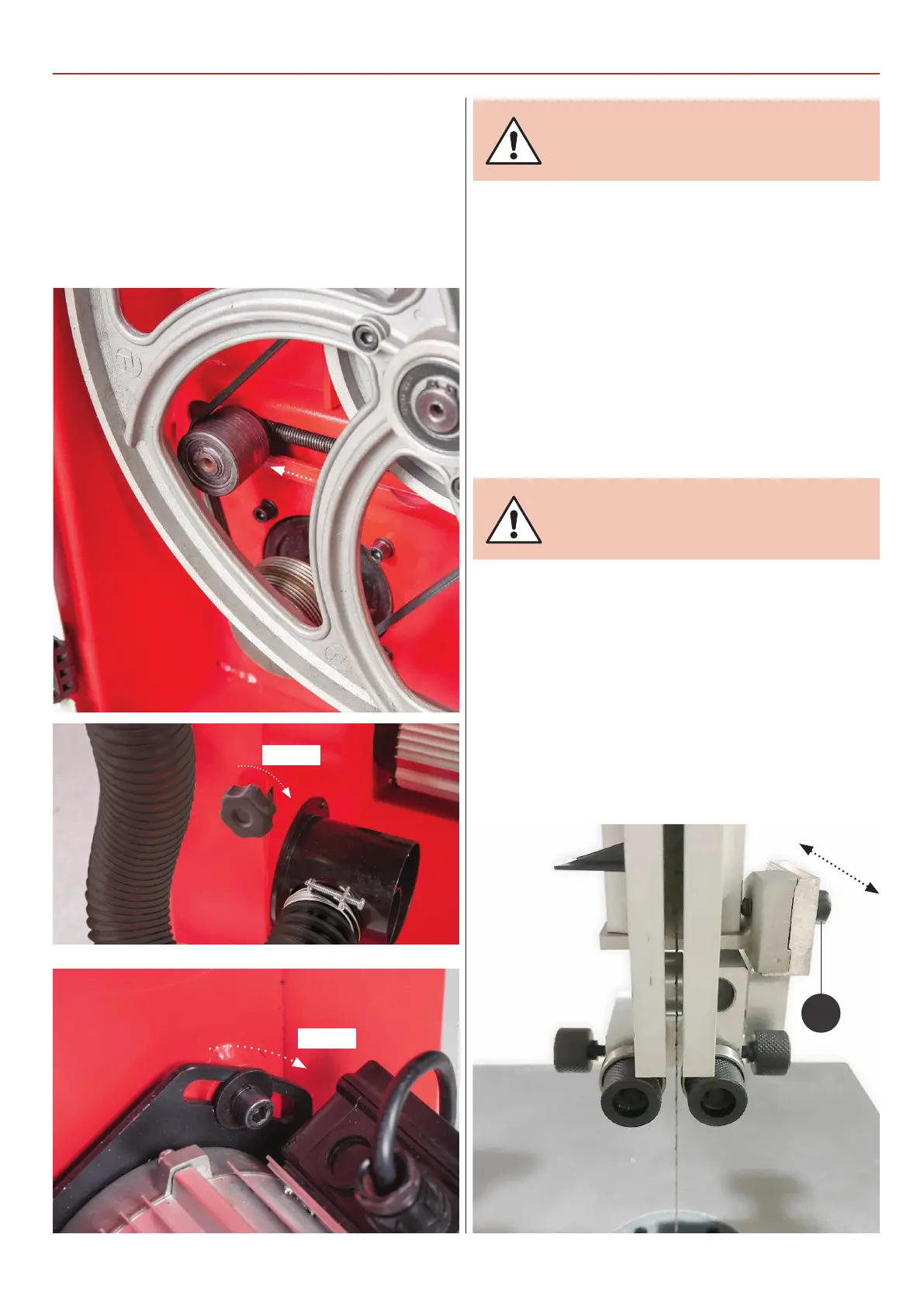
4) Check that the drive belt is tensioned correctly. If it is slack,
apply ‘take up’ pressure to the belt by adjusting the ‘Idler’ pulley,
using the knob at the side of the machine, see fig 06-07. Note
this applies only for model number AW2305B & AW2606B
bandsaw. To tension the drive belt on model AW1950B loosen
the motors clamping Hex bolt and press the assembly down.
While holding motor in place retighten the Hex bolt, see fig 08.
Fig 06-07-08
5) Stand clear and start the saw. Check that the saw is running
smoothly, (no thumps, bumps, knocking or excessive vibration)
and the blade appears to be tracking correctly (in one place).
You can check this by holding a marker, e.g. a pencil, close to
the back of the blade (approach from the back of the blade
only) and check that the gap remains constant.
If it doesn’t, adjust the tracking until it does, see fig 04.
Make very small adjustments and wait for the saw to react
before you adjust again, sometimes the reaction is not
instantaneous. Once you are satisfied that the tracking is
correct, switch the machine off and allow it to run to a stop.
CONNECT THE SAW TO THE
MAINS SUPPLY!
Tighten
Tension
Continues over...



 To Next Page