– 12 – – 13 –
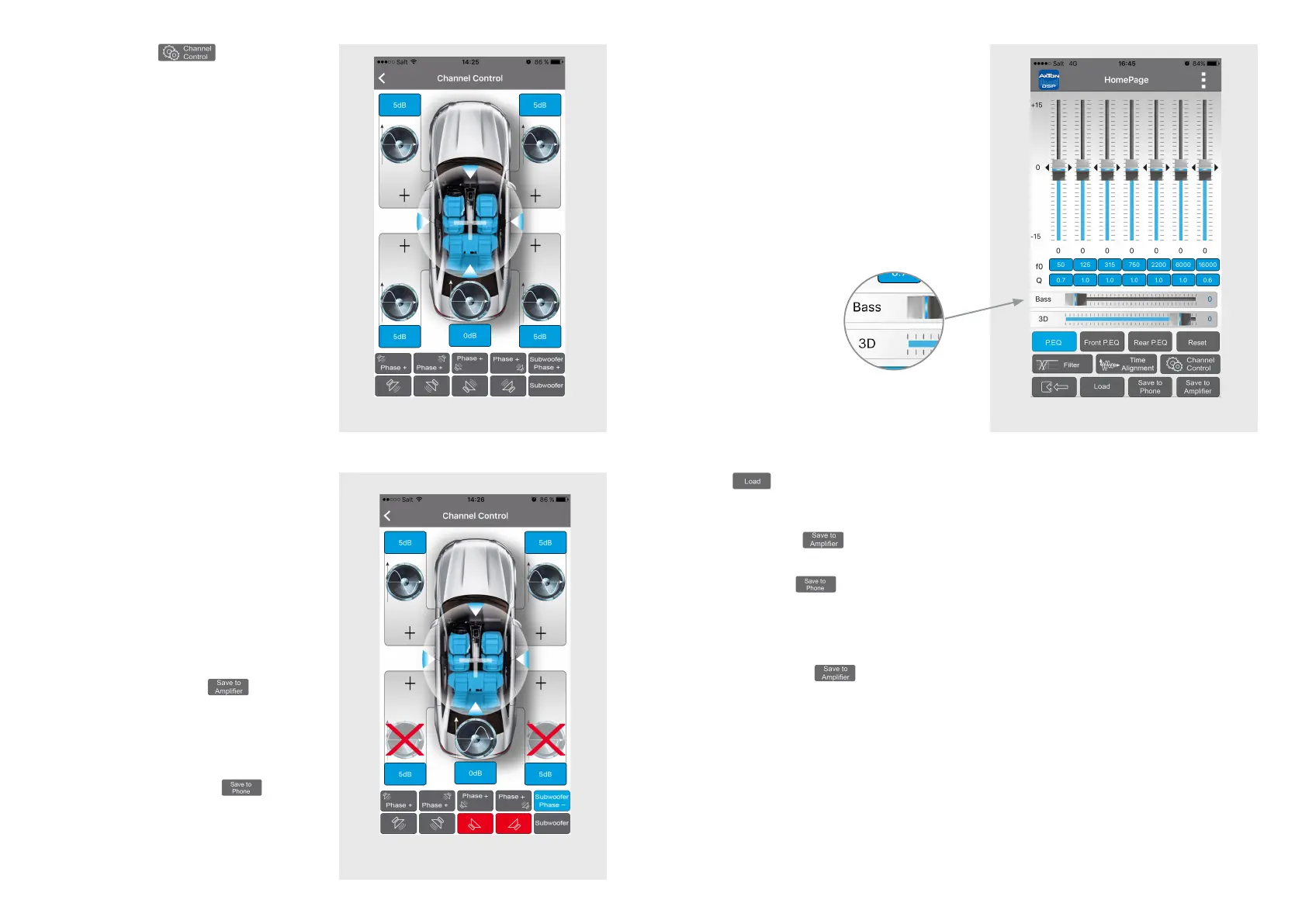
Channel Control
In this menu you can make the following
settings for each individual channel: sound
level, mute switch, and phase.
The sound level settings are made in
the eld above and under the respective
speaker icons. The standard value for the
speakers is +5 dB, and for the subwoofer
0 dB.
In the lower area of the menu in the top line
are the icons for setting the phase. From
left to right: Front left, Front right, Rear left,
Rear right, Subwoofer.
In the bottom line are the icons for setting
the mute switch. From left to right: Front
left, Front right, Rear left, Rear right, Sub-
woofer.
When you have done the preferences,
go back to the main menu, and touch the
„Save to Amplier“ button to transfer
the preferences to the amplier. During
the saving process do not switch off the
amplier as this may lead to malfunction
and/or damage. You can also save the
preferences on your smartphone. To do
this, press „Save on Phone“ , and
enter the desired lename.
Dynamic Bass
The „Bass“ slider offers a great opportunity
to increase the bass level without overloa-
ding the speakers.
Level at “0” = no Dynamic Bass Function
active
Level from “1” to ”20” = the higher the value
the higher the bass increasing. Simulta-
neously a strong subsonic lter is enabled
to protect the speakers from deepest bass
frequencies.
Dynamic Bass: The
„Bass“ slider offers
the bass level without
overloading the speakers.
Load
Shows a list of les saved on the smartphone. Type in the desired setup to load.
If you now want to save the loaded setup permanently on the amp, press the „Save to
Amplier“ button .
Save to Phone
You can save the preferences on your smartphone. To do this, press the „Save on Phone“
button, enter the desired lename, and conrm with „OK“.
Save to Amplier
Touch the „Save to Amplier“ button to transfer the preferences to the amplier. Select
one of the ve presets. During the saving process do not switch off the amplier as this
may lead to malfunction and/or damage.


 To Next Page
 Loading...