OPERATION GUIDE
10
6
DEMO SONGS
1. Press the KIT button and the screen will display 01 (drum kit number). Press SELECT to enter the drum parameter
adjustment mode.
2. Tap the drum you want to adjust, then press the -/+ buttons to select the parameter for adjustment.
Sensitivity S (01-06). Trigger threshold t (01 - 32). Crosstalk threshold c (01 -32).
Repeated trigger r (01-32). Drum Force V (01-03). Drum volume L (00 - 31).
3. Change the parameters by rotating the parameter wheel and long press the - button to save. The screen with display
SAV to indicate the parameter adjustment has been saved successfully.
4. To restore the drum parameters back to factory settings long press the + button until the screen displays RES.
PLEASE NOTE: The parameters for the 3 tom drums can not be set individually.
1. Press the < REC > button when the indicator light is in the "KIT" and "CLICK" states and the screen displays
the words "REC" in the flashing state, entering the recording preparation state.
2. Tap any drum and the metronome sounds. At this time, the screen displays "---" in the flashing state and starts
recording.
3. Press the < REC > key or < PLAY > key again, the recording stops and "A-1" is displayed on the screen.
4. Press < > to start playing the current recording and press again to stop playback.
5. If you enter the recording preparation state again without any drumming, the "A-1" recorded last time is played back.
1. To save parameters long press the <-> button and the screen will display SAV.
2. To reset parameters long press the <+> button and the screen will display RES res.
1. To use the drum kits MIDI function plug a USB-B data cable (not included with this drum kit) into the control unit
and connect to PC/Smartphone.
7
DRUM PARAMETERS
8
RECORDING FUNCTION
9
SAVE / RESET
10
USBMIDI
2. Once the coaching mode has been chosen, press the CLICK button. The metronome beats will start and you can
play along on the drum for practice.
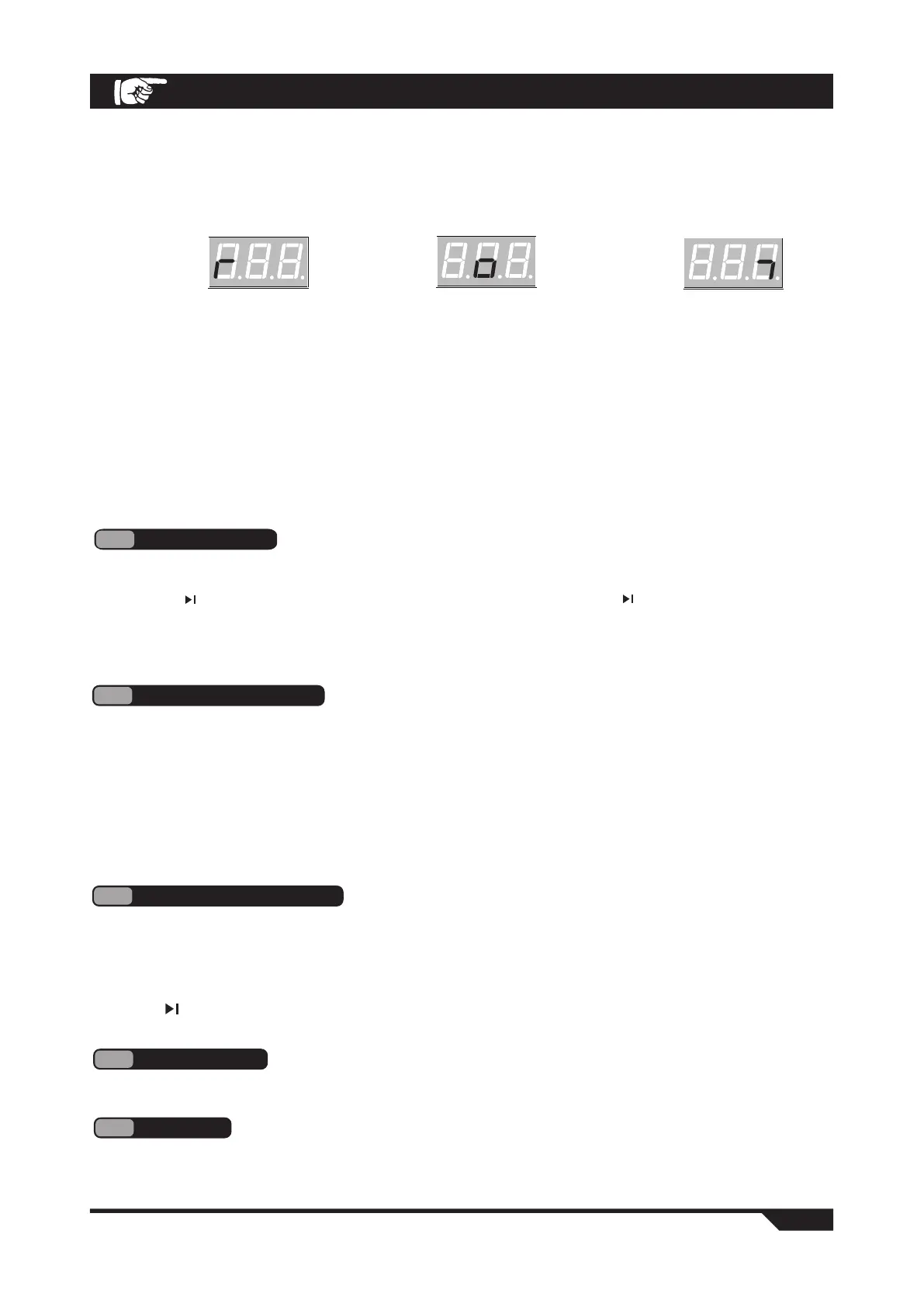
3. After four preliminary beats, the display will show:
4. Once you have completed the coaching mode a score will be displayed from 0-100 evaluating the accuracy of
the exercise.
C-1 mode: Press the SELECT button to enter the parameter setting interface. You can adjust the number of practice
sessions as required (01-32). The number of sessions to practice determines the length of this exercise.
C-2 mode: Press the SELECT button to enter the parameter setting interface. You can adjust the number of practice
sessions as required (04-32). The number of sessions to practice determines the length of this exercise.
C-3 mode: Press the SELECT button to enter the parameter setting interface. You can adjust the rate at which the BPM
changes (01-09 BPM).
5. Press the CLICK button again to end the coach mode.
(too slow) (too fast)(good)
1. Press the SONG button to enter the demo mode, there are 30 demos to choose from. The screen will display
the current demo song number (01-30).
2. Press the < > button to start playing the demo songs. To stop playing press the < > button again.
3. Turn the parameter wheel or press the -/+ buttons to select a demo song.
4. Press the SELECT button in song mode to jump to the song parameter setting interface.
You can turn the drum sound on or off by turning the parameter wheel (the drum sound is on by default).
5. Press the SELECT button to confirm and exit the parameter interface.



 To Next Page