18
AC216Bi OPERATION
iPod Operation
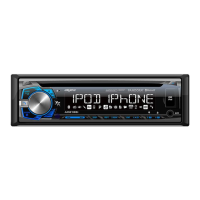
The unit features a direct USB control system for iPod.
To play music from an iPod device, connect the USB cable
(included with your iPod device) to the USB port on the front
panel.
Once connected, "READ" will flash in the display, then
playback will begin automatically. If a song is playing on the
iPod device before it is connected, it will continue to play.
Connect an iPod Device
(Not Included)
Press
ll
to skip to the beginning of next song. Press
nn
to return to the beginning of current song. Pressing
nn
again skips to the beginning of previous song.
Press and hold
ll
or
nn
to fast forward or reverse a
song.
Press
l
/
II
to temporarily stop playback.
Press
l
/
II
again to resume playback.
Press RPT to enter the Repeat menu, then turn the
volume knob to select one of the following options:
• ALL - Repeats all tracks.
• SONG - Repeats selected track.
Press RDM to enter the Random menu, then turn the
volume knob to select one of the following options:
• OFF - Cancels the RDM function.
• ALL - Plays all tracks in random order.
• ALBUM - Plays all tracks in the selected album in random
order.
Press INT to enter the Intro menu, then turn the volume
knob to select one of the following options:
• OFF - Cancels the INT function.
• ON - Plays first 10 seconds of each track.
Song Select
Fast Forward and
Reverse
Pause
Repeat
Random
Intro


 To Next Page
 Loading...