EasyManua.ls Logo

Axxera AC216BI - Control Locations Overview

Axxera AC216BI
28 pages
Print Icon
To Next Page IconTo Next Page
To Previous Page IconTo Previous Page
Loading...
4
AC216Bi OPERATION
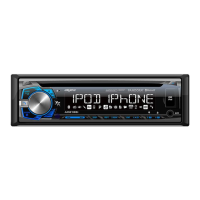
Control Locations
1. Release
2. Band / Go Back
3. Volume / Select
4. Power / Mute
5. USB Port
6. Eject
7. Auxiliary Input
8. Preset 6 / Folder Up
9. Preset 5 / Folder Down
10. Preset 4 / Play / Pause
11. Preset 3 / Intro
12. Preset 2 / Random
13. Preset 1 / Repeat
14. Display
15. Tune / Track Up
16. Tune / Track Down
17. Mode
18. Audio / Menu
19. Bluetooth Talk
4
8
9
10
11
1213
18
5 6
7
14
17
1
2
3
15
16
19
1
2
4
3
5
6
7
8
9
10
11
15
13
14
16
17
12
1. Mode
2. Volume Up
3. Power
4. Select
5. Tune / Track Up
6. Volume Down
7. Band / Go Back
8. Preset 3 / Intro
9. Preset 2 / Random
10. Preset 6 / Folder Up
11. Mute
12. Audio / Menu
13. Preset 5 / Folder Down
14. Preset 4 / Play / Pause
15. Preset 1 / Repeat
16. Bluetooth Talk
17. Tune / Track Down