7
Power On/Off
Volume
USB Port
Main Menu
Mute
Mode
Press
to turn the unit on. Press and hold to turn the unit off.
Press Volume Up or Volume Down to increase or decrease the
volume level.
Connect a USB device to the USB port on the front panel to play MP3
files or view JPG photos.
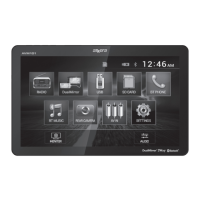
From any operational mode, press the house icon in the top left corner
to access the Main Menu screen.
1. Adjust screen brightness or put the monitor into standby mode.
2. Access audio setting such as EQ, Surround Sound Settings and Field
Settings (Balance and Fader).
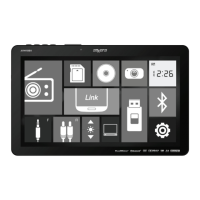
From the Main Menu, select the desired mode of operation to
immediately access that mode.
Press Volume Up or Volume Down, and the menu with volume level
will pop up. Press the speaker icon to mute or unmute the sound.
General Operation
1 2
AVM101LH OPERATION
DualMirror
™
Operation
See insert for DualMirror Operation Guide.
Note:
Operating system updates from Apple and Android
may cause issues with your receiver not to function
properly. This can usually be fixed by doing a
software/firmware update to the receiver itself.
To see if your receiver has the latest firmware,
contact customer service at 1-866-382-5476 to
see if your radio needs an update.


 To Next Page
 Loading...