14
6. Device addition and network conguration
1- This device can only work with a 2.4GHz Wi-Fi signal. So please check your
router and make sure it works at 2.4GHz. When setting up the network, please keep
the product and mobile phone as close as possible to the wireless router to ensure a
good network signal.
2- Please perform the following steps 1-4 in strict order.
3- In the process of network conguration, if you hear the host message "congure
network timeout" or the interface shows that the network conguration fails, please exit
the application and restart the product, and then operate again from step 1.
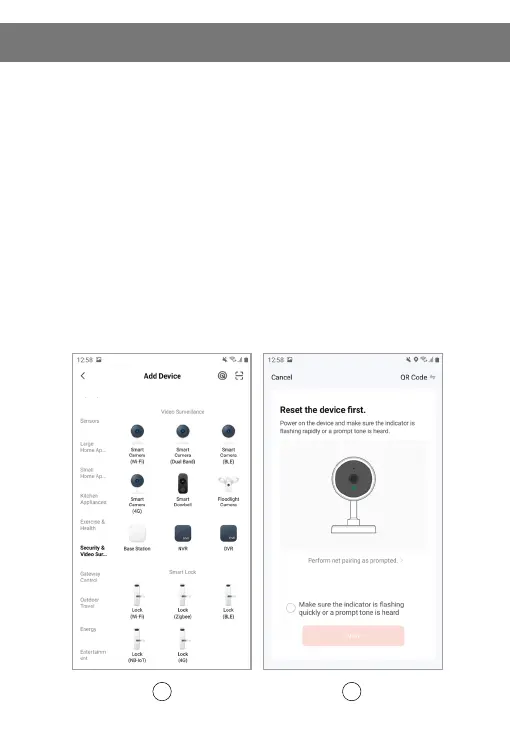
Step 1: Open and log in the application, click "add device" and select "Video
Surveillance" in the product catalogue on the left, as shown in (gure 1). Then select
"Smart doorbell" in the product type on the right, and the interface will appear as
shown in (gure 2).


 To Next Page