32
Gather
What You’ll Need
Assemble
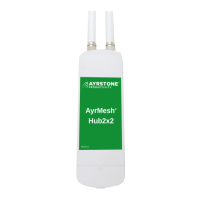
Router and Antenna
• Screw Antenna finger-tight
(pic.3)
onto the Antenna Connector on
the back of the Router.
(pic.2)
• Do Not Use Tools.
4
•Plug one end of an Ethernet
Cable into one of the 4 LAN
ports on the back of the
Router.
(pic.4)
•Plug the other end of the
Ethernet Cable into the ethernet
port on your computer.
(pic.5)
5
Connect
Router to Power Supply
• Plug one end of an Ethernet
Cable into the WAN port on the
back of the Router.
(pic.6)
• Plug the other end of the Ether-
net Cable into the plug on the
Power Supply.
(pic.7)
• Plug Power Supply into wall.
(pic.8)
• Router and Included Parts
• An Additional Ethernet Cable
• Computer with an Ethernet Port
• Always on Internet Connection
DSL, Cable, Satellite, etc. (not dial-up)
You may also want:
•
One or more AyrMesh Hubs
• Additional Ethernet Cables
(pic.3)
(pic.2)
Connect
Computer to Router
(pic.4)
(pic.5)
(pic.6)
(pic.7)
(pic.8)



 To Next Page