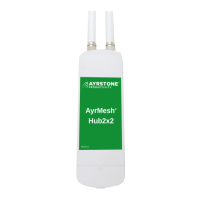
Signal lights on the Hub
5
Top Signal light
Second light
First light
Power light
Gateway Hubs have the Power light on steady,
and the Top Signal light on steady.
Remote Hubs have the Power light on steady
and the top signal light ashing to indicate
signal strength as follows:
Every 4 seconds - weak
Every 3 seconds - fair to good
Every 2 seconds - good
Every second - very strong (may be too close)
Less than a second - no signal
Using the Hub
6
The AyrMesh Hub provides normal 802.11n
WiFi, just like any other WiFi access point.
Unless you have changed it in your
AyrMesh.com account, the default SSID is
"AyrMesh" and the default encryption passkey is
"Ayrmesh1" (note the capital "A" and the
number "1").
NOTE: Once you have tested the Hubs, MAKE
SURE you CHANGE THE ENCRYPTION
PASSKEY (and the SSID if you want) in your
AyrMesh.com account to ensure the security of
your network!
Changes on AyrMesh.com may take up to half
an hour to take eect on your network - the
Hubs wait before changing to make sure all the
devices in the network receive the new
conguration.
The AyrMesh network extends the IP network
of your router, so, from a networking
perpsective, everything connected to the
AyrMesh network appears as if connected
directly to your router.
Select AyrMesh network (default:
AyrMesh
)
Enter the passkey (default:
Ayrmesh1
)



 To Next Page