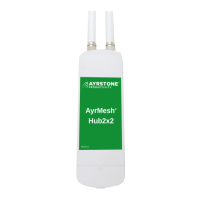
Make Sure Hub is Working
The signal lights (3 top lights) will start out
"running" from bottom to top (or left to right if
it's on its side). When the Hub has checked in to
AyrMesh.com, just the top signal light will be on.
Hub checking in
It usually takes about 1-2 minutes for the Hub to
check in and show up on AyrMesh.com, but
sometimes it takes a bit longer. If it hasn't
shown up after 5 minutes, try adding it manually
with the MAC address:
3
Finish the installation
4
All Hubs should be mounted outside, up as high as
possible, with the antennae pointing straight up.
Maximum range for the Hub depends on having
clear line-of-sight.
The Hub can be mounted to a at surface with two
screws, or to a pole with the included zip ties.
Click the Ethernet cable from the Power Supply
into an Ethernet port on the bottom of the Hub -
the one marked "PoE LAN/WAN" - if it's plugged
into the other port, the Hub will still light up, but
it won't communicate through the Ethernet port.
Carefully put the door back on the Hub - make sure
the cable is in one of the
cutouts in the bottom of the Hub.
When mounting the Hub, make sure to leave a "Drip
Loop" in the cable where it enters the building so
water does not run down the cable to the power supply.
Zip-ties
Pole
Screws
Drip
Loop



 To Next Page