
 Need help?
Do you have a question about the Ayrton Khamsin and is the answer not in the manual?
Please read the safety instructions and warnings carefully before installing and operating the KHAMSIN.
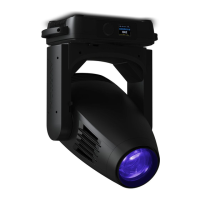
Your KHAMSIN is a moving-head luminaire for professional use.
Instructions for safe and correct installation of the luminaire.
Setting the DMX start address for luminaire control.
Selecting different DMX modes for the luminaire.
Accessing and configuring various luminaire settings.
Allows changing the DMX address from the fixture's control panel.
Defines fixture behavior when no DMX signal is received.
Reverses the PAN movement direction for the luminaire.
Reverses the TILT movement direction for the luminaire.
Powers down LEDs and motors when no DMX signal is received for a period.
Allows outputting DMX through the DMX output based on selected universe.
Accesses advanced options via a password for service purposes.
Allows choosing the fan speed on the fixture head (Auto, Stage, Studio, Silence).
Allows rotating the display by 180° for inverted installation.
Allows choosing the signal type used for fixture control (DMX, WDMX, Art-Net, sACN).
Allows selection of temperature measurement unit (Celsius or Fahrenheit).
Manages wireless DMX activation, data transfer, and pairing.
Allows running internal programs alone or as a master.
Restores the fixture to its factory default settings.
Displays operating hours (Current Time, Total Life Hrs, Last Run Hrs).
Displays the current software version of the fixture.
Adjusts slave fixture settings to receive data from a master.
Configures the fixture to run programs automatically as master or alone.
Selects which program part (1, 2, or 3) the SLAVE fixture will run.
Instructions for cleaning the luminaire to maintain efficiency and proper operation.
Regular checks for installation safety, attachment, and electrical cables.
Information on how to check for and install new software versions.
Lists features related to software control and menu options.
Details supported control protocols and input/output methods.
Specifies voltage, power, and connector types for the luminaire.
Details materials, protection rating, and finish of the luminaire.
Information on included installation hardware and safety cable attachment.

 To Next Page
 General