- 10 -
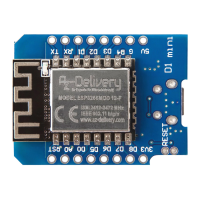
D1 Mini module - Software
Most of the microcontroller functionality of the ESP uses exactly the same
syntax as a normal Arduino board, making it really easy to get started.
Digital I/O pins
Just like with a regular Arduino board, the pin function can be set using the
following line of code:
pinMode(pin, mode)
where pin is the name of GPIO pin, and mode can be either INPUT (which is the
default), or OUTPUT, or INPUT_PULLUP to enable the built-in pull-up resistors for
pins GPIO0 - 15. To enable the pull-down resistor for GPIO16 use
INPUT_PULLDOWN_16.
To set an output pin HIGH (3.3V) or LOW (0V), use the following line of code:
digitalWrite(pin, value)
where pin is the name of GPIO pin, and value either 1 or 0 (or HIGH and LOW).
To read an input, use the following line of code: digitalRead(pin)


 To Next Page