- 19 -
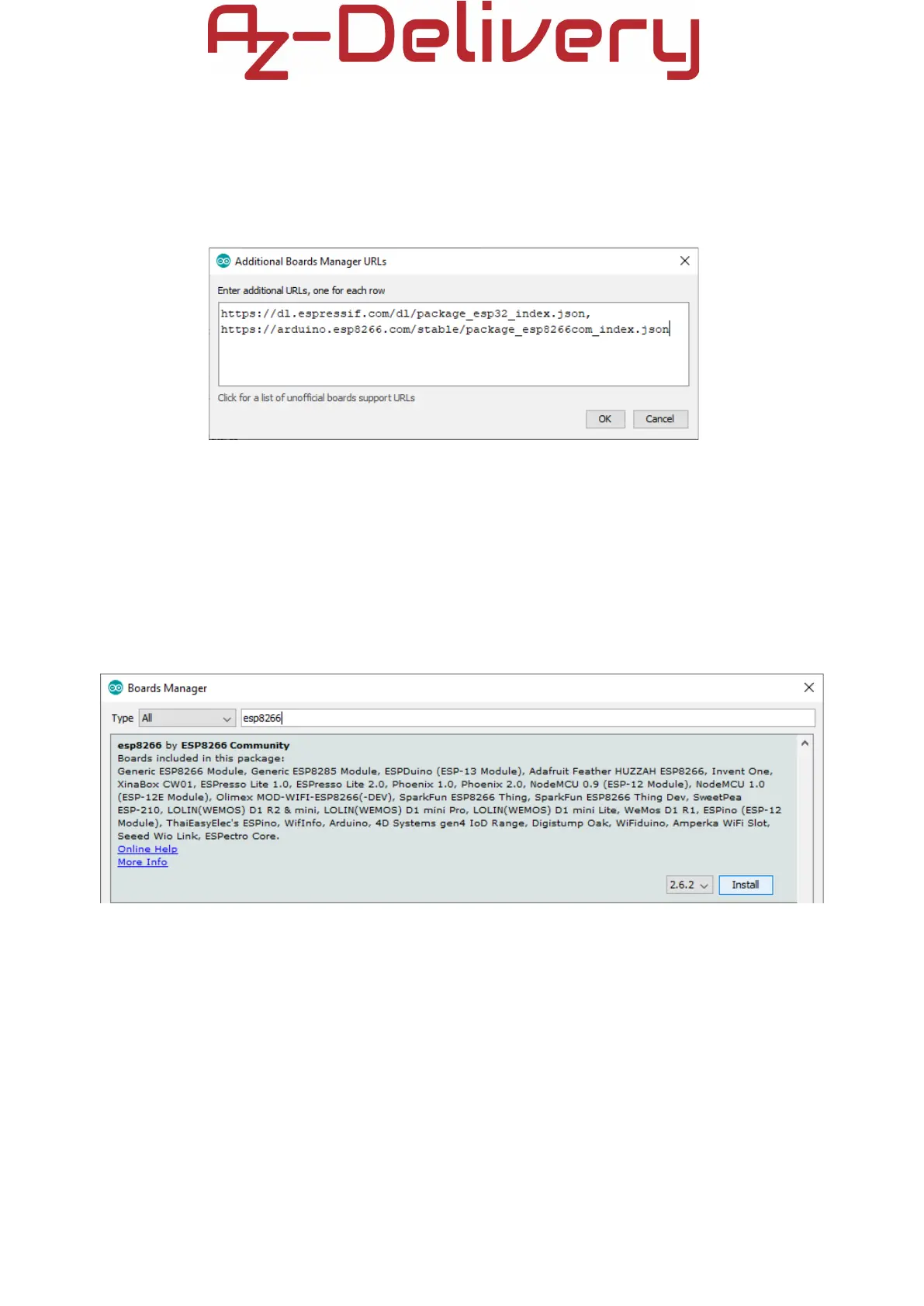
If there are one or more links inside Additional URLs field, just add one comma
after the last link, paste a new link after a comma and click the OK button. Then
close the Arduino IDE.
Open Arduino IDE again and go to:
Tools > Board > Boards Manager
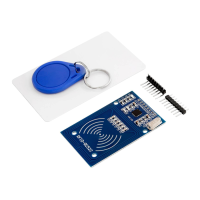
When new window opens, type esp8266 in the search box and install the board
called esp8266 made by ESP8266 Community, as shown on the image below:
Now, the ESP8266 core is installed.


 To Next Page