EN-04
EN-05
No
1
2
3
4
5
6
7
8
Function
Features
TouchScreen
FOV
Language
TakePhotos
G-Senor
DateStamp
LoopRecording
FHDRecording
OLEDTouchScreen
HDWideViewingAngle
Multi-language
Support
Support
Support
Support
Description
Senor
Lens
Screen
Mic/Speaker
Storage
Flash
CarCharger
WorkingTemperature
Battery
FOV
FHDLens
OLED3inch
Built-in
SDcard(Max128G)
ElectronicShutter
5V/2A
-10°C-60°C
400mAh
CMOS
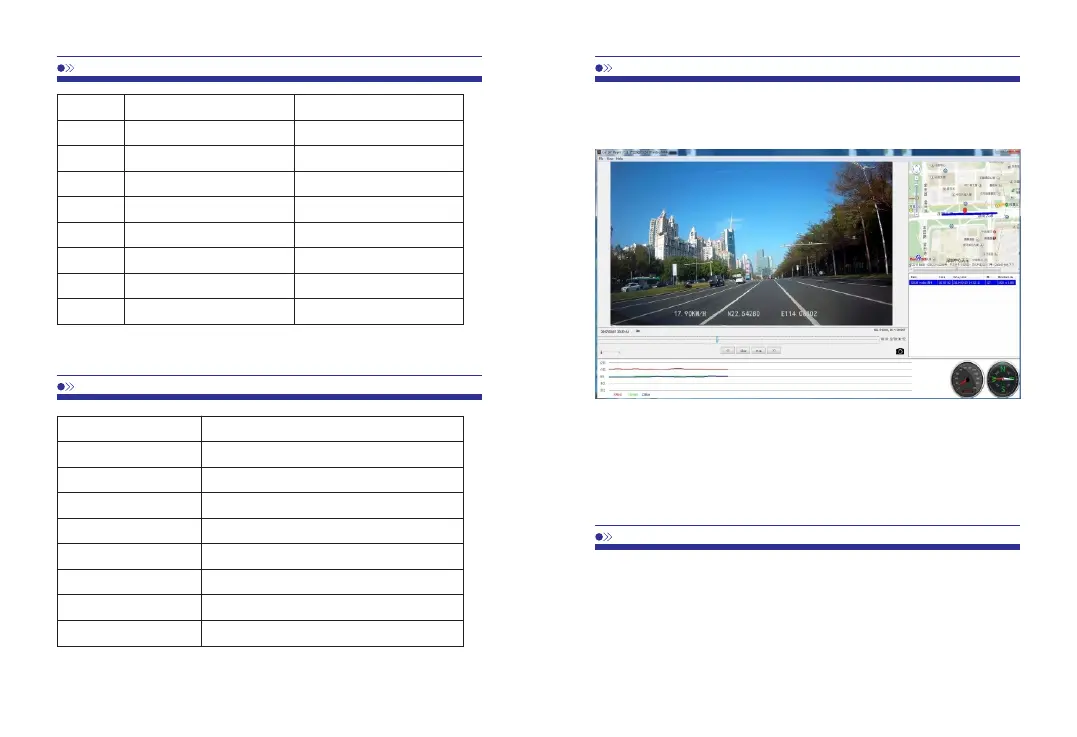
•BeforeviewingGPStrace,PleaseinstallCarDVPlayertoyoucomputer.
•Pleasevisit todownloadFREECarDVPlayer.www.azdome.hk/downloads.html
•ClickFile-Open,toselectthevideofile.
IftheGoogleMapcan’tbenormallyloaded,pleasetrythefollowingoperations:
1.RunGPSPlayerastheadministrator
(rightclickontheCarDVPlayer,thenchooserunningastheAdministrator)
2.UpgradetheInternetExplorertoIE10orabove
3.IftheGPSplayerstillcan’twork,pleasecontactusatservice@azdome.hk
Q1:CameradoesnotturnON?
Pleasemakesureyouchargecamerafor2hoursbeforefirstuse.Makesurememorycardis
insertedproperly.Thenpluginpowercablewhichshouldturnoncameraanditshouldstart
recording.



 To Next Page