removalofthemountlater.
4.Fixthemounttothefrontwindshieldofthecarusingtheprovided3Madhesivestickers.
5.Placethedashcaminthemagneticmount.
6.ConnecttheMicroUSBcabletothedashcam.
7.Ifyouusethecigarettepowercable,plugitintothecar’spowersupply.
8.Turnonthecar’signition.Thedashcamwillpoweronautomatically(orhasalreadyifyou
usedtheHardwirecable).
9.FormattheMicroSDcardinthedashcam’smenu.
Note:PleaseuseanA-Brandhigh-speedMicroSDcard(Class10UHS-Iorabove)
3.3Rearcamerainstallation(optional)
Theoptionalrearcameracomeswitha6-metercablethatisconnectedtothefrontcamera.The
cableprovidespowerandtransfersthevideodatathroughthiscable.Beforeinstallation,please
firstcheckiftheprovidedcableislongenoughtoreachtherearcamerainyourcar.Followthese
stepsforinstallation:
1.ConnecttheDCjacktotheAVINportofthefrontdashcam.Whenconnectedproperly,the
videooftherearcameraisshownPiP(PictureinPicture)wiseontheLCDscreenofthefront
camera.
2.Workyourwaytotherearofthecartotheplacewheretherearcameraistocome.
3.Placetherearcameraontherearwindoworonthebumperusingtheadhesivestickersor
screwsprovided.
4.(Optional)Usetheantistickpadtobeforeplacingthemountontherearwindowforeasier
removalofthecameralater.
5.(Optional)Connecttheredwireoftheextensioncabletothepowerofthebackuplightand
theblacktotheground.ThenthevideooftherearcamerawillbeshowninlargeontheLCD
screenoncethecarisputinreverse.
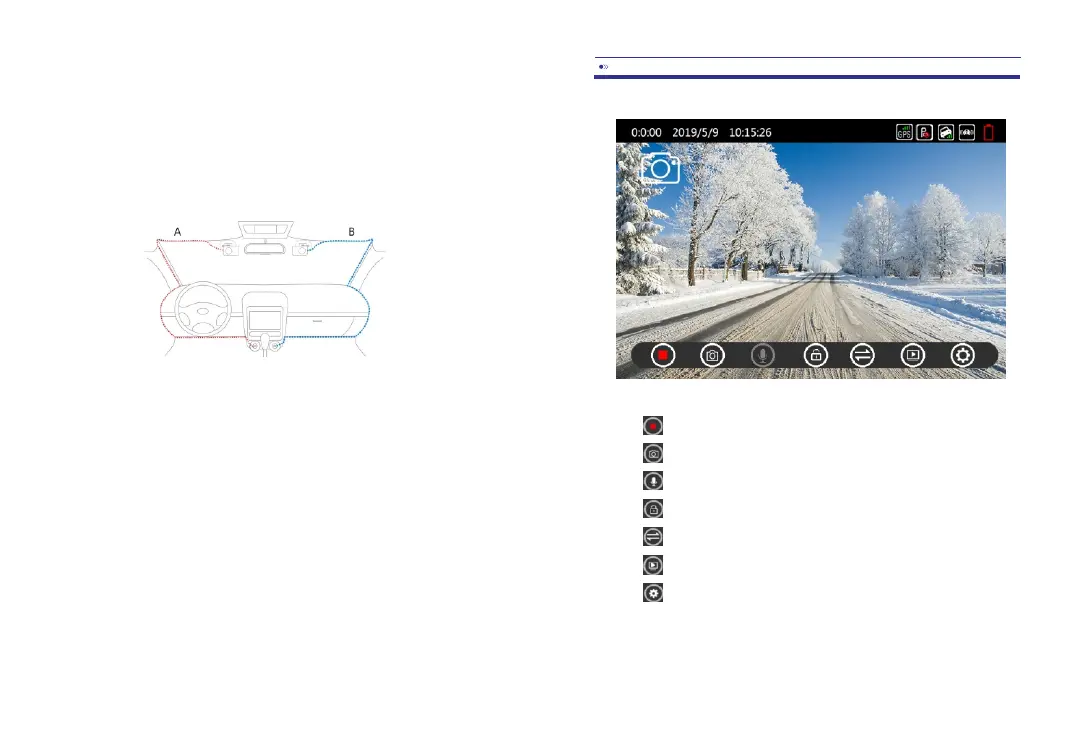
4.1Recordingmode
Start/Stoprecording:Touchtostartorstoptherecording.
Photo:Touchtomakeasnapshot.
Microphone:Touchtorecordormutetheaudio.
Lock:Touchtolockthecurrentrecording.
Screen:TouchtoswitchbetweenPiPorfrontandrearcamera.
Playback:Touchtogotoplaybackmodetoseerecordedvideos.
Settings:Touchtogotomenu.
EN-07EN-06



 To Next Page