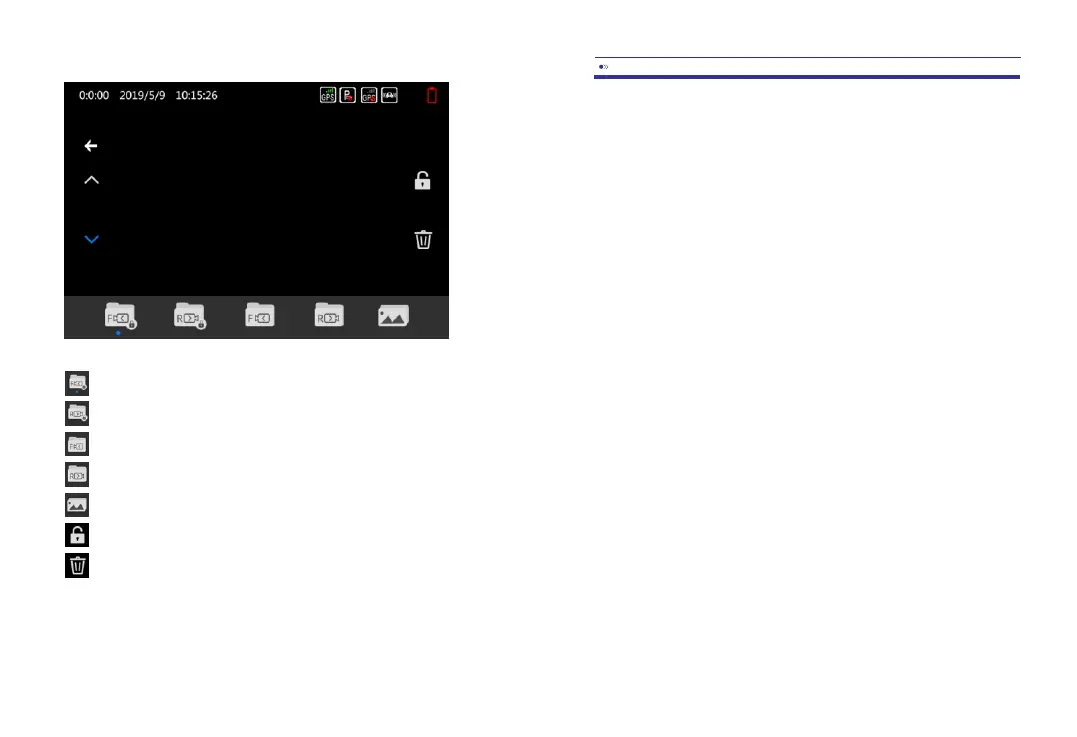
4.2Recordingmode
FrontlockedandParkingmodevideos.
RearlockedandParkingmodevideos.
Frontnormalvideos.
Rearnormalvideos.
Pictures/Snapshots.
Lockorunlocktheselectedfile.
Deletetheselectedfile.
5.1Videosettings
RESOLUTION
Selectthedesiredvideoresolutionandfps(framespersecond).Higherfpsresultsinsmoother
videosbutalsomoredatausage.
Singlecamoptions
-4K2160p24fps(2880x2160)
-2K1440p30fps(2560x1080)
-FHD1080p60fps(1920x1080)
-FHD1080p30fps(1920x1080)
-HD720p120fps(1080x720)
-HD720p60fps(1080x720)
-HD720p30fps(1080x720)
Dualcamoptions
-2xFullHD1080P30fps(1920x1080)
LOOPRECORDING
Selectthelengthofthevideosforthelooprecording.WhenturnedtoOff,thedashcamwill
recordonelongvideobutwillstoprecordingwhentheSDcardisfull.
-Off
-1Minute
-3Minutes(Default)
-5Minutes
RECORDAUDIO
Recordaudiowiththevideos?Thisfunctioncanalsobeadjustedinrecordingmodeby
touchingtheMicrophoneicon.
-Off
-On(Default)
EN-09EN-08



 To Next Page