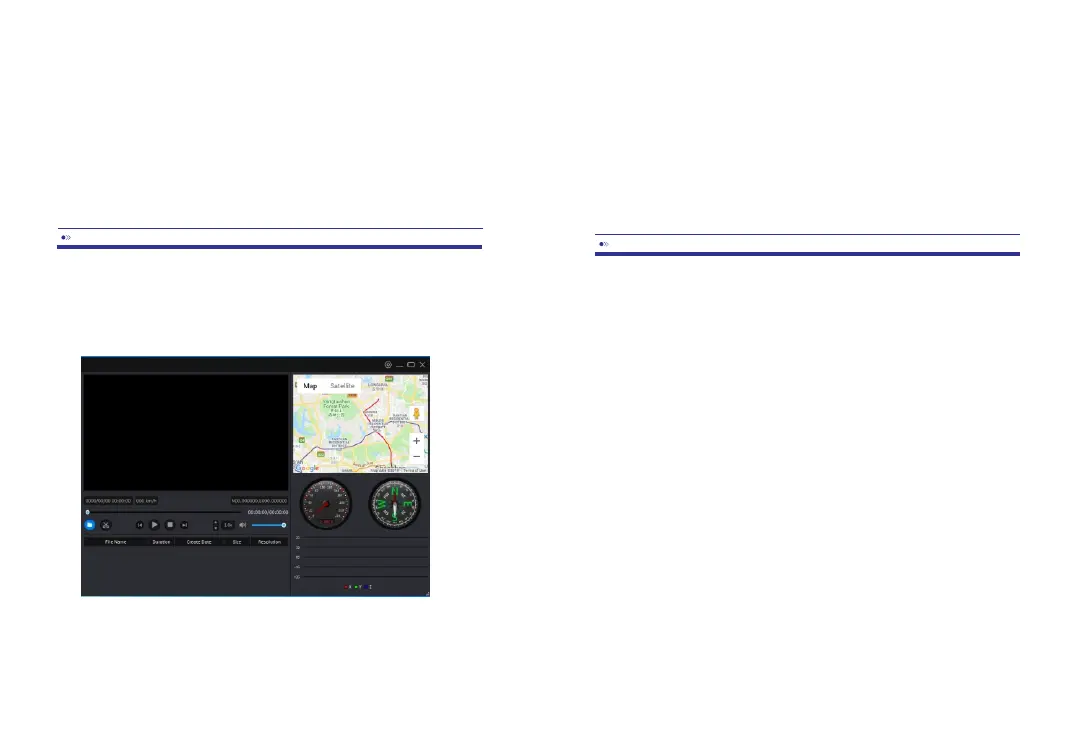
ThisdashcamhasaGPSreceiverthatstorestheGPSdataineveryvideofile.UsingtheGPS
receiver,thelocationofeveryvideoisrecordedandthecurrentspeedisshowninthevideo.
UsingAZDOME’sGPSplayer,thevideoscanbeshowntogetherwiththeGPSlocationin
GoogleMaps.TheG-sensoractivityisalsoshowninthelowerpartoftheplayer.
AZDOME’sGPSplayerisavailableforMacandWindows,checkwww.azdome.hkfor
downloads.
IfGooglemapsisn’tloadedproperly,pleasetrythefollowingoperations:
1.RunGPSPlayerasAdministratoronWindows(rightclicktheApp,thenchoose‘ Runas
Administrator’).
2.UpgradetheInternetExplorertoIE10orabove.
3.Ifitstilldoesn’twork,pleasecontactusatinfo1@azdome.hk
Weprovideaoneyearlimitedwarrantyforyourproductfromthedateofpurchasetobefree
fromdefectsinmaterialsandcraftsmanship.
Forquestions,support,orwarrantyclaims,contactusatinfo1@azdome.hk
IMPORTANT:
Proofoforiginalpurchaseisrequiredforanywarrantyservice.AZDOMEcanonly
provideaftersalesserviceforproductspurchaseddirectlyfromAZDOME.Ifyou
purchasefromourofficialdistributorsordealers,pleasecontactthemdirectly.
EN-15EN-14
videosandpresstherightbuttontoswitchbetweenVideoandPhotomode.Inthetop
rightcorner,youcanchangethesettingsofthedashcam.
Note:Yourphonemightgiveamessageregardingapoorornointernet
connectiononthenetwork.Dismissthismessageandchoosetostayonthe
networkifyougettheoption.Themessageisnormalasthereisnointernet
connectionavailablewhenconnectedtothedashcam.Alsoturnoffany
functionsthatautomaticallyselectthebestWiFinetworksandmakesureyou
havenopreferencenetworksthatyourphoneswitchestoautomatically.Ifyou
stillhaveproblemsconnecting,alwaysfirstcheckIfyouarestillontheWiFi



 To Next Page