Need help?
Do you have a question about the Azio KB505U and is the answer not in the manual?
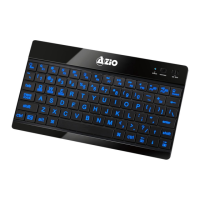
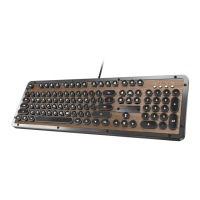
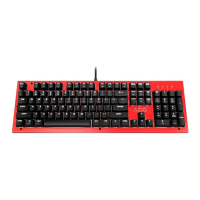
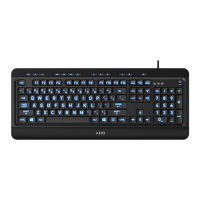
Large print keys to reduce eyestrain and promote productivity.
Select between red, blue, or purple backlight illuminations.
Built-in multimedia and quick-access hotkeys for your convenience.
Requires an IBM-compatible PC, an available USB port, and Windows XP, Vista, or 7.
Contains the KB505U Keyboard and a Quick Start Guide.
Details interface, key count, dimensions, weight, cable length, switch type, OS support, and reliability.
Connect the keyboard to a USB port; drivers install automatically for plug-and-play functionality.
Lists hotkeys for email, browser, media playback, volume control, and system applications.
Provides website, phone, and email contact details for customer assistance and troubleshooting.
Covers defects in material and workmanship for 3 years from purchase, excluding damage from misuse.
Details how to obtain warranty repair or replacement by contacting AZIO or returning to the dealer.
 General
| Purpose | PC/server |
|---|---|
| Hot keys | Yes |
| Keyboard layout | - |
| Device interface | USB |
| Keyboard language | English |
| Recommended usage | Gaming |
| Keyboard form factor | Full-size (100%) |
| Connectivity technology | Wired |
| Product color | Black |
| Keyboard style | Straight |
| Surface coloration | Monochromatic |
| Mouse included | No |
| Windows operating systems supported | Windows 2000, Windows 2000 Professional, Windows 7 Home Basic, Windows 7 Home Basic x64, Windows 7 Home Premium, Windows 7 Home Premium x64, Windows 7 Professional, Windows 7 Professional x64, Windows 7 Starter, Windows 7 Starter x64, Windows 7 Ultimate, Windows 7 Ultimate x64, Windows Vista Business, Windows Vista Business x64, Windows Vista Enterprise, Windows Vista Enterprise x64, Windows Vista Home Basic, Windows Vista Home Basic x64, Windows Vista Home Premium, Windows Vista Home Premium x64, Windows Vista Ultimate, Windows Vista Ultimate x64, Windows XP Home, Windows XP Home x64, Windows XP Professional, Windows XP Professional x64 |
| Number of products included | 1 pc(s) |

 To Next Page