Need help?
Do you have a question about the Azio MK HUE and is the answer not in the manual?
Lists items included in the product package.
Lists the necessary hardware and OS for the product.
Details technical specifications like model, interface, dimensions, and weight.
Instructions for initial setup and connecting the keyboard.
Information on how to contact customer support for assistance.
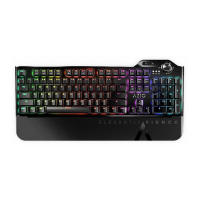
Describes the keyboard's backlight feature for enhanced visibility.
Explains the availability and on-the-fly recording of macro keys.
Highlights the tactile feedback and premium feel of the mechanical keys.
Details the NKRO feature for accurate key presses during intense gaming.
Describes quick access to productivity, internet, and multimedia functions.
Mentions the durable and premium look provided by the aluminum faceplate.
Identifies keys for controlling media playback and volume.
Shows keys for launching applications like email or web browser.
Indicates the key used to initiate macro recording.
Points out keys used for adjusting backlight modes and brightness.
Explains the function of various LED indicators on the keyboard.
Labels the dedicated keys for macro programming.
Identifies the removable palm rest for enhanced comfort.
Step-by-step guide on how to record and activate custom macros.
Instructions for cycling through and controlling backlight effects.
Explains the meaning of the N, C, S, W LED indicators.
Quick reference for controlling keyboard lighting.
Shortcut to disable the keyboard backlight.
Shortcut to increase backlight brightness.
Shortcut to decrease backlight brightness.
Key combination to enter macro recording mode.
Identifies the keys designated for macro functions.
Hotkey to open the system's search function.
Hotkey to launch the calculator application.
Hotkey for opening the default email client.
Hotkey to launch the default web browser.
Hotkey to disable the Windows key.
Details the terms, conditions, and coverage of the product warranty.

 To Next Page
 General