Need help?
Do you have a question about the Azio CASCADE and is the answer not in the manual?
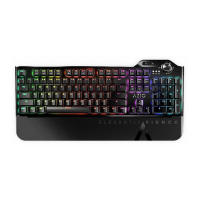
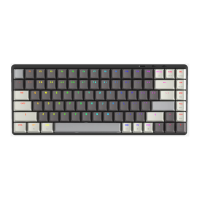
Details on interface, switches, battery, dimensions, and system requirements for the keyboard.
Explains how to switch between USB, OFF, and Bluetooth modes using the back switch.
Guides on setting the keyboard for PC or Mac operating systems via a switch.
Step-by-step instructions for pairing the keyboard with devices via Bluetooth connectivity.
How to check the keyboard's battery power level using specific key combinations.
Instructions for connecting the keyboard to a computer using the included USB Type-C cable.
Details on F1-F12 key shortcuts for media, applications, and system functions.
Guides on adjusting backlight modes, brightness, colors, and speed.
Step-by-step guide on safely removing key switches using the provided tool.
Instructions for properly inserting and securing new keyboard switches.
Outlines the process for submitting a warranty claim, including required documentation and address.
Information regarding FCC rules, digital device operation, and interference.
Essential warnings and precautions for handling the built-in rechargeable Li-ion battery.
Disclosure about chemicals potentially causing cancer or reproductive harm.
Confirmation of compliance with relevant European Union directives.
Instructions for environmentally sound disposal of electrical and electronic equipment.
Recommendations for safe operation, troubleshooting, and device care.
Advice on posture and usage to prevent physical discomfort and injury.
Instructions on monthly cleaning and maintenance for the keyboard.
 General
| Type | Mechanical Keyboard |
|---|---|
| Backlight | RGB |
| Key Rollover | N-Key Rollover |
| Keycap Material | PBT |
| Hot-Swappable | Yes |
| Switch Options | Gateron Brown, Gateron Blue, Gateron Red |
| Connection | Wired, Wireless |
| Connectivity | Bluetooth, USB-C |
| Interface | USB-C |
| Keycaps | Double-shot |
| Weight | 1.1 kg |

 To Next Page