7
You will see the screen on the left if
the setup is successful.
5
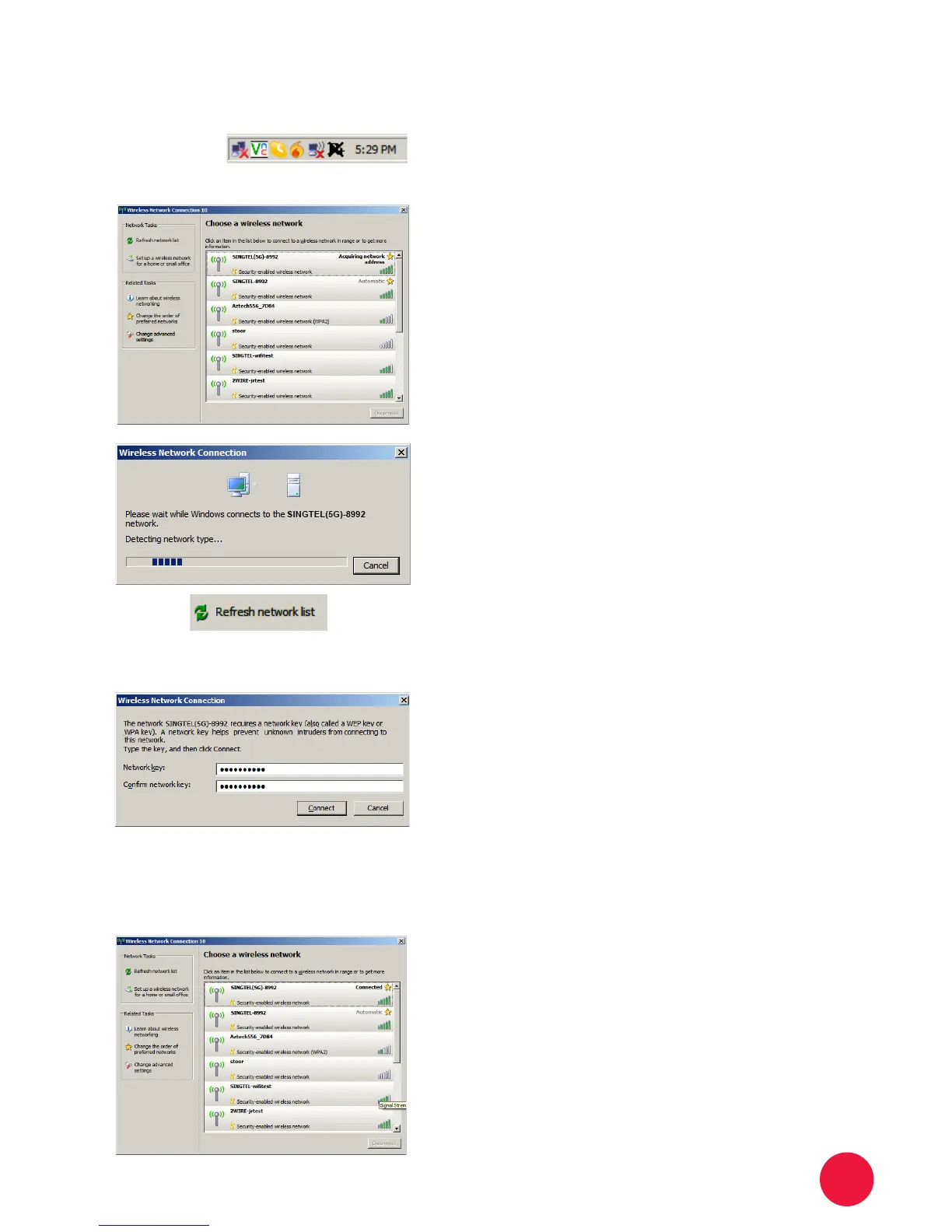
Double click the Network Name
of your wireless network e.g.
SINGTEL(5G)-8992 and wait for
the network to be detected.
Note: Please refer to section A if you are
unsure of your Network Name and try
refreshing your Network List if you do not
see it.
Type the 10-Digit Network Key into
the “Network Key” and “Conrm
Network Key” elds. Click on the
“Connect” button to complete the
setup and wait for the network
address to be acquired.
Note: Please refer to section A if you are
unsure of your Network Key.
4
3
Section B: If you are using Windows XP
Double click on the wireless icon on
your task bar.
You should see the available wireless
networks, if you are prompted to use
another wireless manager, please
refer to section F.
2
1


 To Next Page