User Manual
Page 9 of 21
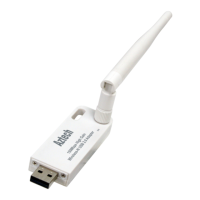
3. Launch the Aztech WL562USB utility and connect to your existing Access Point.
4. Or use the WPS button to connect to your Access Point.
5. Press the WPS of your Access Point then press the WPS button of the Aztech
WL562USB for 3 seconds to start the pairing.
6. The WL562USB LED will start to blink during pairing. To confirm the connection, the
Wireless Network Connection on your computer will change to .
Connecting to an Access Point using the
WL562USB Utility.
Connecting to an Access Point the WPS
button.
Note:
1. Your Access Point should have the WPS feature for your WL562USB to connect using the WPS button.
2. The WL562USB WPS button should be pressed within 2mins after pressing the WPS button of your Access


 To Next Page