EasyManua.ls Logo

B. Braun Aesculap PV470 - User Manual

B. Braun Aesculap PV470
230 pages
Print Icon
To Next Page IconTo Next Page
Loading...
Aesculap
®
Aesculap Endoscopic Technology
en Instructions for use/Technical description
Full HD CMOS camera system PV470
USA Note for U.S. users
This Instructions for Use is NOT intended for United States users. Please
discard. The Instructions for Use for United States users can be obtained
by visiting our website at www.aesculapusa.com and clicking the "Prod-
ucts" menu. If you wish to obtain a paper copy of the Instructions for Use,
you may request one by contacting your local Aesculap representative or
Aesculap's customer service at 1-800-282-9000. A paper copy will be
provided to you upon request at no additional cost.
de Gebrauchsanweisung/Technische Beschreibung
Full HD CMOS Kamerasystem PV470
fr Mode d’emploi/Description technique
Système de caméra Full HD CMOS PV470
es Instrucciones de manejo/Descripción técnica
Sistema de cámara CMOS Full HD PV470
it Istruzioni per l’uso/Descrizione tecnica
Sistema videocamera Full HD CMOS PV470
pt Instruções de utilização/Descrição técnica
Sistema de câmara Full HD CMOS PV470
nl Gebruiksaanwijzing/Technische beschrijving
Full HD CMOS-camerasysteem PV470
sv Bruksanvisning/Teknisk beskrivning
Full HD CMOS kamerasystem PV470
ru Инструкция по примению/Техническое описание
Система камеры Full HD с КМОП-матрицей PV470
cs Návod k použití/Technický popis
Systém kamery CMOS full HD PV470
pl Instrukcja użytkowania/Opis techniczny
System kamery Full HD CMOS PV470
sk Návod na použitie/Technický opis
Full HD CMOS Kamerový systém PV470
tr Kullanım Kılavuzu/Teknik açiklama
Full HD CMOS kamera sistemi PV470
ko
사용 설명서 / 기술 설명
Full HD CMOS 카메라 시스템 PV470

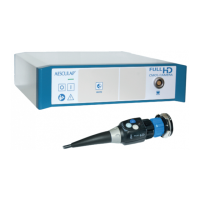
Table of Contents

Questions and Answers

  • R
    Ryan MossAug 9, 2025
    What to do if 'System error' appears on B. Braun Medical Equipment monitor?
    • T
      Tiffany MyersAug 9, 2025
      If “System error” appears on the monitor of your B. Braun Medical Equipment, try restarting the camera, as this could be due to an internal product error.
  • S
    Scott DukeAug 14, 2025
    Why is there no image on my B. Braun Medical Equipment monitor?
    • M
      Monique LewisAug 15, 2025
      If there's no image on your B. Braun Medical Equipment monitor, it could be due to several reasons: the device might not be powered on (ensure all units are connected to mains power and switched on), the fuse could be broken (replace the fuse in the camera), the video cable might be defective (replace the video cable), or the video cable might not be properly connected (connect the video cable).
  • D
    Dennis PetersonAug 20, 2025
    What to do if the image is too dark on my B. Braun Medical Equipment?
    • A
      Abigail PhillipsAug 20, 2025
      If the image on your B. Braun Medical Equipment is too dark, check the following: ensure the camera head is connected to the camera control unit and the camera plug is dry. If you're still experiencing a dark image, try the following: * Turn up the light source intensity. * Regulate camera brightness up. * Connect a new light guide cable or have the current one repaired by the manufacturer. * If the image remains dark even without the camera, use a different endoscope and have the defective one repaired.
  • D
    Deborah EdwardsAug 25, 2025
    Why is the color representation unrealistic on my B. Braun Medical Equipment monitor?
    • E
      eshawAug 25, 2025
      Unrealistic color representation on your B. Braun Medical Equipment monitor can occur if the white balance failed (start white balance-adjustment), the monitor color setting is misadjusted (reset to factory setting), or the video cable is defective (replace video cable).
  • S
    sheilamillsAug 29, 2025
    How to fix a fuzzy image on B. Braun Aesculap PV470 Medical Equipment?
    • J
      Joshua HurstAug 29, 2025
      If the image on your B. Braun Medical Equipment appears fuzzy or poorly defined, try these steps: Adjust the focus using the focusing ring on the endoscopic lens until the image is sharp. Clean the endoscope tip with a sterile cloth and isopropyl alcohol (70%). Also, ensure the camera cable plug is dry before plugging it into the camera socket.
  • T
    tuckerpaulaSep 3, 2025
    What does a color bar diagram on B. Braun Medical Equipment monitor mean?
    • D
      Debbie DyerSep 3, 2025
      A color bar diagram on the B. Braun Medical Equipment monitor indicates that the camera cable is not connected to the camera control unit. To resolve this, connect the camera cable to the camera control unit.

B. Braun Aesculap PV470 Specifications

General IconGeneral
BrandB. Braun
ModelAesculap PV470
CategoryMedical Equipment
LanguageEnglish

Related product manuals