TROUBLESHOOTING
Before going through the check list, check wiring connection. If any of the problems persist after
checklist has been made, consult your nearest service dealer.
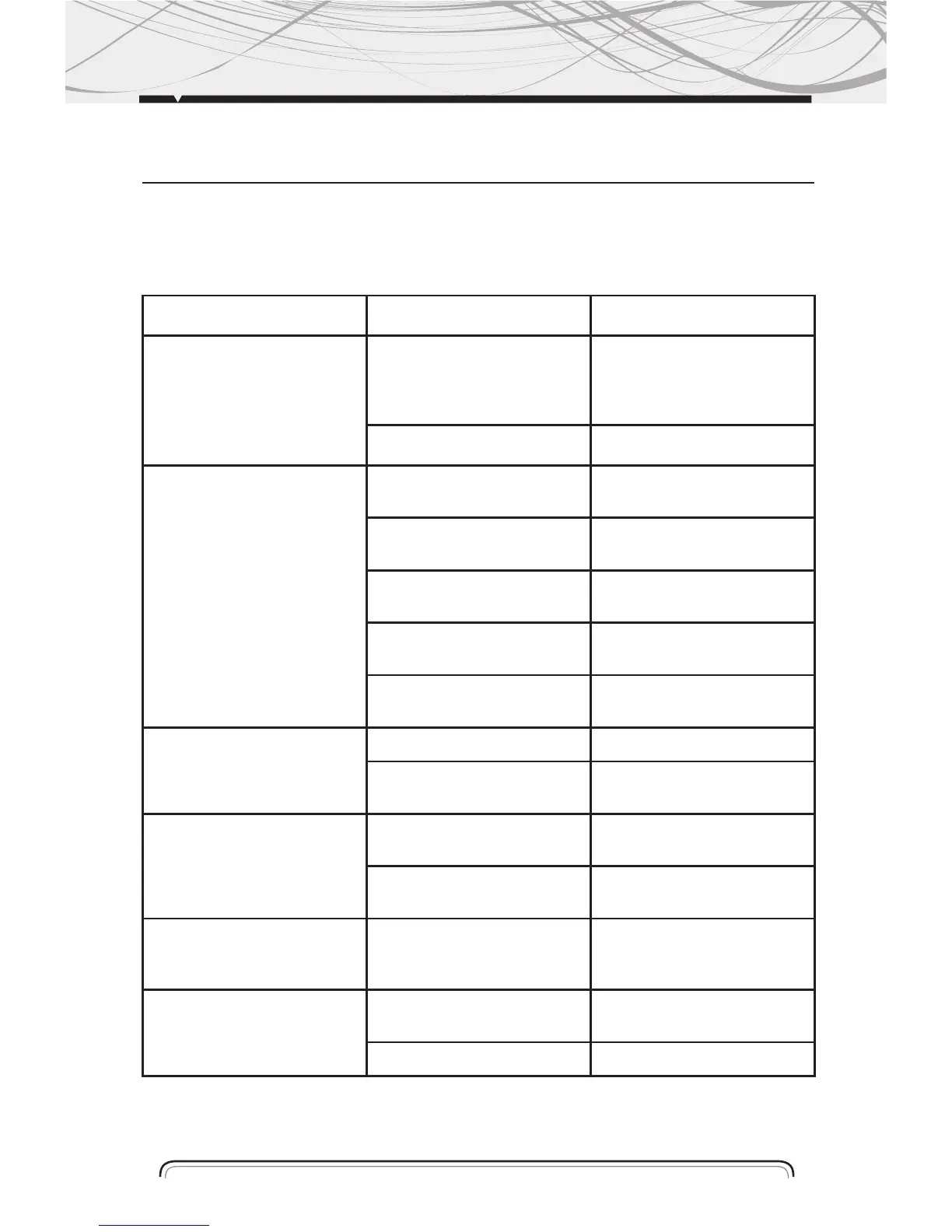
Symptom Causes Solution
No Power The car ignition key
not been switched on
If the power supply is properly
connected to the car accessory
terminal, switch the ignition
key to ACC
The fuse is blown Replace a new fuse
CD Cannot Be
Loaded or Ejected
A CD is already inside
the player slot
Remove the CD from the player
and insert the new one
Inserting the CD in reverse
direction
Insert the CD with the label
facing up
The CD is extremely dirty or
defected
Clean the CD or try to play a
new one
Temperature inside the car is
too high
Cool off until the ambient
temperature return to normal
Condensation Leave the player off for an
hour or so and try again
No Sound Volume is at minimum Adjust volume to desired level
Wiring is not properly
connected
Check wiring connection
Sound Skipping The installation angle is more
than 30º
Adjust the installation angle to
less than 30º
CD is extremely dirty or
Defected
Clean the CD or try to play a
new one a new one
The Operation Keys
Do Not Work
The built-in microcomputer is
not operating properly due to
Interference
Press the RESET button
or reinstall the front panel
properly
The Radio or Automatic
Selection Does Not Work
The antenna cable is not
connected correctly
Connect the antenna cable
correctly
The signals are too weak Select the station manually
19


 To Next Page