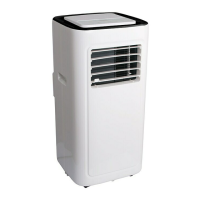
1.Control panel operation instructions
1. Power Key 2. Mode Selection Key Fan 3. Sleep Key 4.Down Key 5. Up
Key 6.Fan Speed Selection Key 7. Timer Key 8.Auto Swing(Optonal
)
1: When the machine is powered on for the first time, the buzzer will play power-on
music, and then the machine will get into standby status.
1: Power Key: press the key to turn on and turn off the machine. In the case of power on,
press the key to turn off the machine; in the case of power off, press the key to turn on the
machine.
2: Mode Selection Key: In the case of power on, press the key to switch between cooling →
fan
→
dehumidifying mode.
3: Sleep Mode:
In the cooling Mode,Press the UP and Fan Key to turn on the sleep mode,then the unit will
work on Energy-Saving and quiet type.
4: Up Key and Down Key: press the two keys to change the setting temperature or setting
time, operate as follows:
While setting temperature, press up key or down key to select the required temperature (not
available in fan or dehumidifying mode).
While setting time, press up key or down key to select the required time.
5: Wind Speed Selection Key:
In cooling and fan mode, press the key to select high,low wind speed operation. But limited
by



 To Next Page