1. Press the MENU button on the remote controller to
display the OSD main menu.
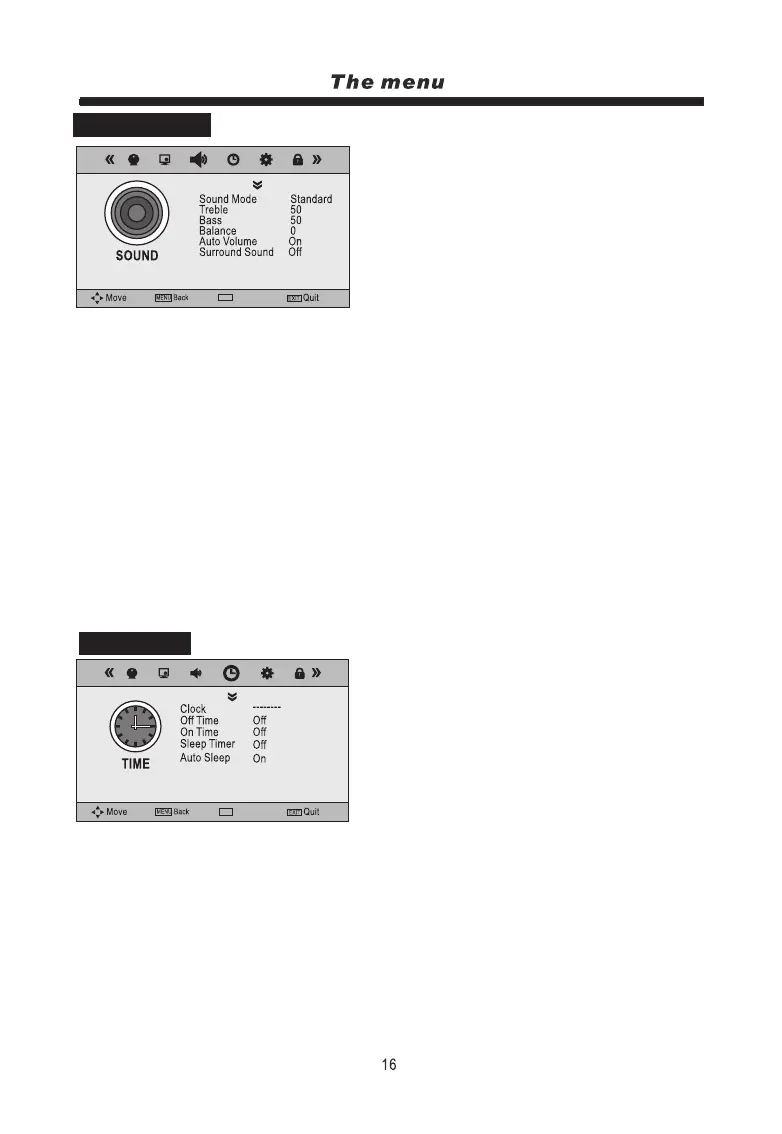
2. Press t/u button to select the SOUND menu.
3. Press the OK button to enter the menu, then you can
use p/qbuttons to select the sub menu options.
4. Press t/ubutton to adjust.
5. Press the MENU or EXIT button to exit from the menu.
1. Press the MENU button on the remote controller to
display the OSD main menu.
2. Press t/u button to select the TIME menu.
3. Press the ENTER button to enter the menu, then you
can use p/qbuttons to select the sub menu options.
4. Press t/ubutton to adjust.
5. Press the MENU or EXIT button to exit from the menu.
Clock: Set the current time.
Off Time: Set the TV to standby after the set time has elapsed.
On Time: Set the TV from standby to switch on automatically after the set time has elapsed.
Sleep Timer: Allows you to setup the sleep timer, options are10min, 20min, 30min, 60min, 90min,
120min, 180min, 240min and Off.
Auto Sleep: Press t/ubutton to select On or Off.
Time Zone: This option available in DTV mode only.
NOTE: If you are receiving a DTV Signal the the time will be set automatically and this option will be
greyed out.
Time Zone Victoria GMT+10
Sound Mode: Allows you to select Standard, Music, Movie, Sports or User.
Note: Treble and Bass can only be adjusted when set in User mode.
Treble: Controls the relative intensity of higher pitched sounds.
Bass: Controls the relative intensity of lower pitched sounds.
Balance: Controls the volume between the left and right speaker.
Auto Volume: Controls the TVs volume automatically when On is selected.
Surround Sound: Turn on/off the surround sound function by selecting “On” or “Off”.
SPDIF Mode: Allow you to select among Off, PCM and Auto.
NOTE: When you try to adjust Treble or Bass the TV automatically switches to User mode to allow
you to do this.
SOUND MENU
TIME MENU
Select
OK
Select
OK
OK


 To Next Page
 Loading...