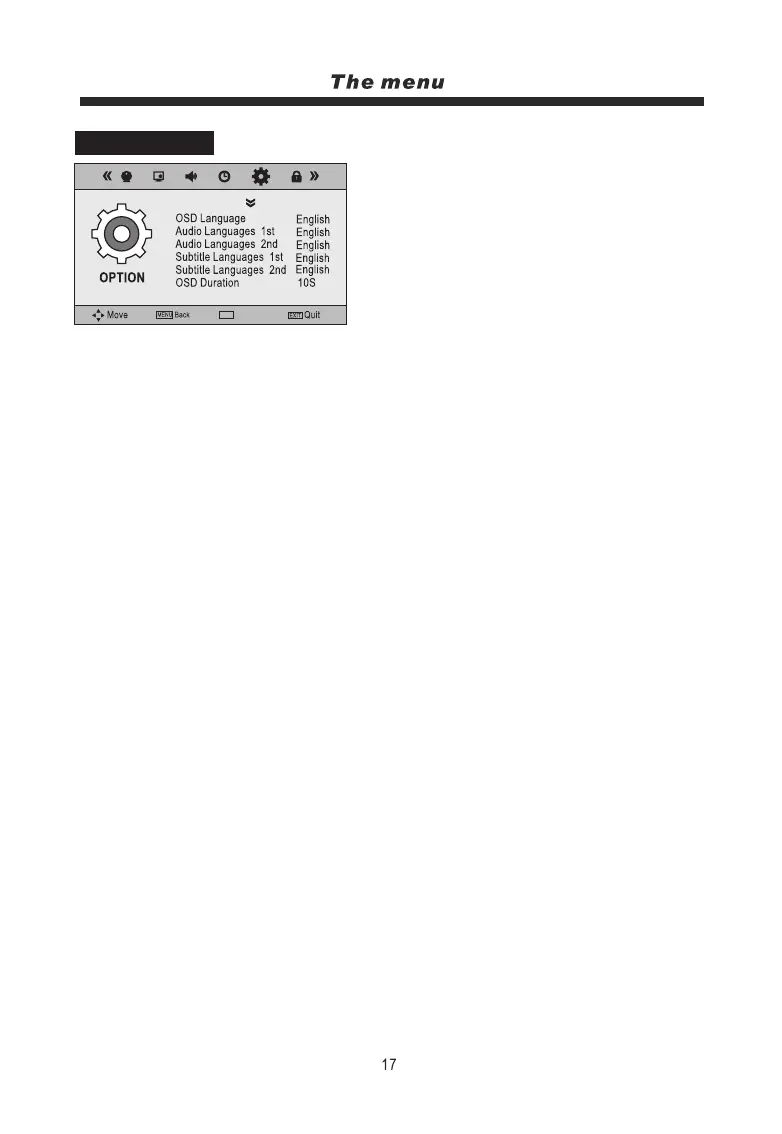
1. Press the MENU button on the remote controller to
display the OSD main menu.
2. Press t/u button to select the OPTION menu.
3. Press the OK button to enter the menu, then you can
use p/qbuttons to select the sub menu options.
4. Press t/ubutton to adjust.
5. Press the MENU or EXIT button to exit from the menu.
OSD Language:
Choose the menu language.
Audio Languages (can only be selected in DTV mode):
Select the audio language.
Subtitle Languages (can only be selected in DTV mode):
Select the subtitle language.
OSD Duration:
Choose the menu display time on screen.
Blue Screen:
Set the screen background colour to blue under no signal conditions.
Country:
Displays UK, this option can be changed by using the Auto Tune function.
Restore Factory Default:
Press OK button to go back to the original factory settings.
OPTION MENU
Select
OK
NOTE: Audio and Subtitle Languages are dependant on the Broadcast being received.
OK



 To Next Page