EasyManua.ls Logo

Baker Hughes TransPort PT900 - User Manual

Default Icon
104 pages
Print Icon
To Next Page IconTo Next Page
Loading...
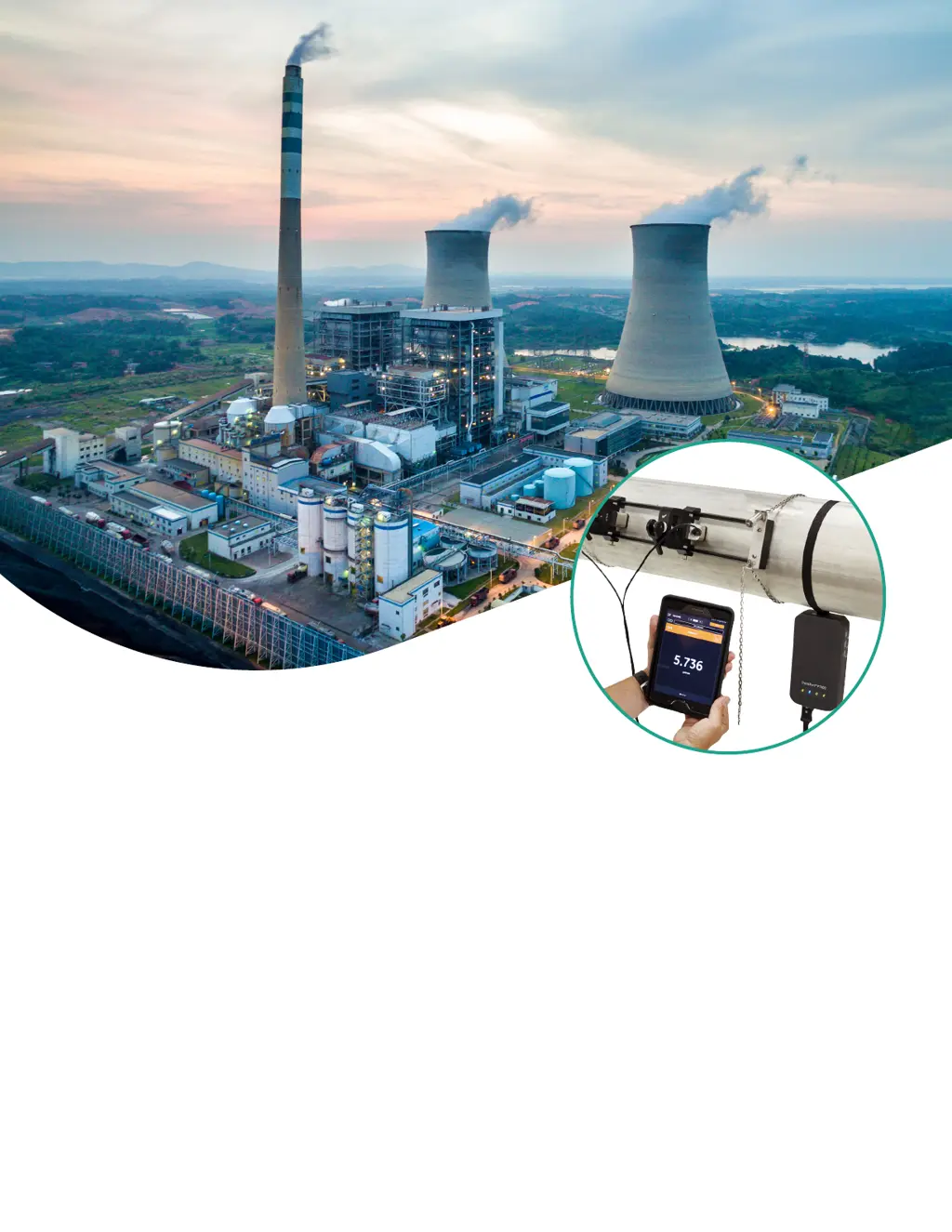
TransPort® PT900
Portable ultrasonic flow meter
for liquids
Users manual

Table of Contents

Questions and Answers

  • M
    Michael CookAug 4, 2025
    What to do if Baker Hughes TransPort PT900 Measuring Instruments show signal quality error?
    • M
      Melissa MonroeAug 4, 2025
      If the signal quality error (E4) occurs in Baker Hughes Measuring Instruments, it means the peak of the upstream or downstream correlation signals has fallen below the programmed correlation peak limit, potentially due to a fluid, pipe, or electrical problem. To resolve this, check for sources of electrical interference and test the tablet on a known good fluid/pipe. Also, inspect the transducers and relocate them if needed.
  • C
    christopher48Aug 8, 2025
    How to fix low signal on Baker Hughes TransPort PT900?
    • H
      hillcindyAug 8, 2025
      A low signal error (E1) on Baker Hughes Measuring Instruments indicates that the SNR is less than the signal low limit or the signal cannot be found. To fix this, check the components and the programmed error limits value.
  • T
    Teresa NguyenAug 13, 2025
    Why Baker Hughes Measuring Instruments show velocity range error?
    • K
      Kathleen MillsAug 14, 2025
      The velocity range error (E3) in Baker Hughes Measuring Instruments may occur due to improper programming, poor flow conditions, or excessive turbulence. Ensure the actual flow rate is within the programmed limits, check the programmed error limits value, and correct any fluid, pipe, and transducer problems.
  • L
    Laura CarterAug 19, 2025
    What to do if Baker Hughes Measuring Instruments display sound speed error?
    • J
      Jaime RussellAug 19, 2025
      A sound speed error (E2) on Baker Hughes Measuring Instruments can be caused by incorrect programming, poor flow conditions, or poor transducer orientation. Correct the programming errors, and be sure to check the programmed error limits value.
  • S
    Scott FoxAug 25, 2025
    Why Baker Hughes Measuring Instruments report amplitude error?
    • S
      shanegilesAug 25, 2025
      An amplitude error (E5) in Baker Hughes Measuring Instruments can be caused by solid or liquid particulates in the fluid or pipe, or poor couplant used on the clamp-on transducers. Correct any fluid and pipe problems to resolve this issue.
  • J
    jerome43Aug 28, 2025
    How to troubleshoot Cycleskip error on Baker Hughes TransPort PT900 Measuring Instruments?
    • D
      danielle77Aug 29, 2025
      Cycleskip in Baker Hughes Measuring Instruments is usually caused by poor flow conditions or improper transducer alignment. Correct any fluid, pipe and transducer problems.

Summary

Introduction

Product Registration

Register your product for support, upgrades, and information.

System Description

Overview of the PT900 portable flow transmitter and its components.

Installation

Introduction to Installation

Guidelines for safe and reliable PT900 system operation and installation.

Unpacking the PT900

Inspecting and accounting for all components in the PT900 carrying case.

Installing a Battery Pack

Procedure to install a new battery pack into the transmitter.

Mounting the Transmitter

Options for mounting the PT900 transmitter on a pipe or in a case.

Installing Clamp-on Fixtures and Transducers

Detailed steps for mounting the standard PT9 clamp-on fixture and transducers.

Making Electrical Connections

Connecting all necessary cables to the PT900 transmitter for operation.

Caring for PT900 Batteries

Guidelines for charging, storing, replacing, and disposing of PT900 batteries.

Powering On and Off

Procedures for turning the PT900 transmitter on and off.

PT900 LED Indicators

Understanding the meaning of the PT900 transmitter's LED indicators.

Initial Setup

Introduction to Initial Setup

Instructions for programming the PT900 flow meter via the tablet app.

Charging Transmitter and Tablet

Ensuring the PT900 transmitter and tablet are fully charged before setup.

Installing or Updating PT900 App

Procedures for downloading and installing the PT900 application on a tablet.

Pairing Tablet and Transmitter

Steps to set up the app and establish Bluetooth connection with the PT900 transmitter.

Using App Menus

Navigating the PT900 app's main menu and slide menu for operation.

Programming

Configure Units of Measurement

Selecting metric or English units for PT900 measurement display.

Configuring a Channel

Setting up a channel for flow rate measurement, supporting up to two channels.

Programming the Pipe Menu

Specifying pipe parameters like material, dimensions, and lining for accurate measurement.

Programming the Fluid Menu

Entering fluid parameters like type, temperature, and density for accurate flow rate measurement.

Programming Transducer Menu

Specifying transducer parameters for accurate ultrasonic flow rate measurements.

Programming Placement Menu

Configuring transducer mounting methods based on programmed information.

Configuring Program Options

Configuring energy, inputs, outputs, and user functions for advanced calculations.

Measurements

Introduction to Measurements

Overview of measuring system parameters and monitoring them in real-time.

Setting Up Measurements for Display

Customizing which variables are displayed on the PT900 app measurement screen.

Viewing Measurements

Displaying multiple measurements, single measurements, totalizers, and diagnostics parameters.

Logging Data

Introduction to Logging Data

Overview of the data logging function for recording diagnostic and measurement data.

Adding a Log

Creating log files by specifying parameters like name, format, channel, and interval.

Managing Log Files

Deleting, stopping, or editing existing log files, including their status.

Configuring the Transmitter

Introduction to Transmitter Configuration

Accessing the transmitter menu for configuration and device information.

Updating Transmitter Software

Procedures for updating the PT900 transmitter's firmware via USB.

Programming Transmitter Service Menu

Accessing calibration, meter setup, testing, and error limit configurations.

Error Codes and Troubleshooting

Error Codes

Understanding error headers and strings displayed on the tablet LCD.

Diagnostics

Troubleshooting PT900 problems related to transmitter, fluid, pipe, or transducers.

Diagnostic Parameters

Utilizing diagnostic parameters to help troubleshoot system problems.

Getting Help

Accessing help menus for troubleshooting, diagnostics, service, and spare parts.

Quick-Start Guide

Concise instructions for initial setup and operation of the flow meter and app.

Communication

Modbus Communication

Understanding the Modbus protocol implementation for data communication.

Modbus Register Map

Table listing Modbus registers for accessing PT900 parameters.

Bluetooth Communication

Details on the Bluetooth protocol used for transmitter-tablet communication.

Specifications

Operation and Performance

Key operational parameters and performance characteristics of the PT900.

PT900 Flow Transmitter

Technical specifications of the PT900 transmitter, including enclosure and battery.

User Interface

Requirements and details for the tablet's display, dimensions, and operating system.

Software Application (PT900 App)

Features and languages supported by the PT900 mobile application.

Clamp-on Transducers

Specifications for temperature range, mounting, and cables for clamp-on transducers.

Accessories

List of standard and optional accessories for the PT900 system.

Options

Details on optional components like tablets, energy kits, thickness gauges, and spare batteries.

Customer Cable Requirements

Specifications for customer cables used in AIO/DIO connections.

Data Records

Service Record

Template for recording service procedures and history for troubleshooting.

Initial Settings

Recording initial parameter values after installation for future reference.

Initial Diagnostic Parameters

Recording initial diagnostic values to help diagnose future system malfunctions.

Warranty

Return Policy

Customer Support Centers

Baker Hughes TransPort PT900 Specifications

General IconGeneral
Repeatability±0.2% of reading
Fluid TypesLiquids
Power Supply24 VDC or 100-240 VAC
Process ConnectionClamp-on
MaterialStainless steel, aluminum
TechnologyUltrasonic
Outputs4-20 mA, Pulse, Relay
CommunicationHART, Modbus
Measurement Range0.03 to 40 ft/s (0.01 to 12 m/s)
Output4-20 mA
Protection RatingIP65

Related product manuals