7
SECTION 3: Lowering and lifting the table
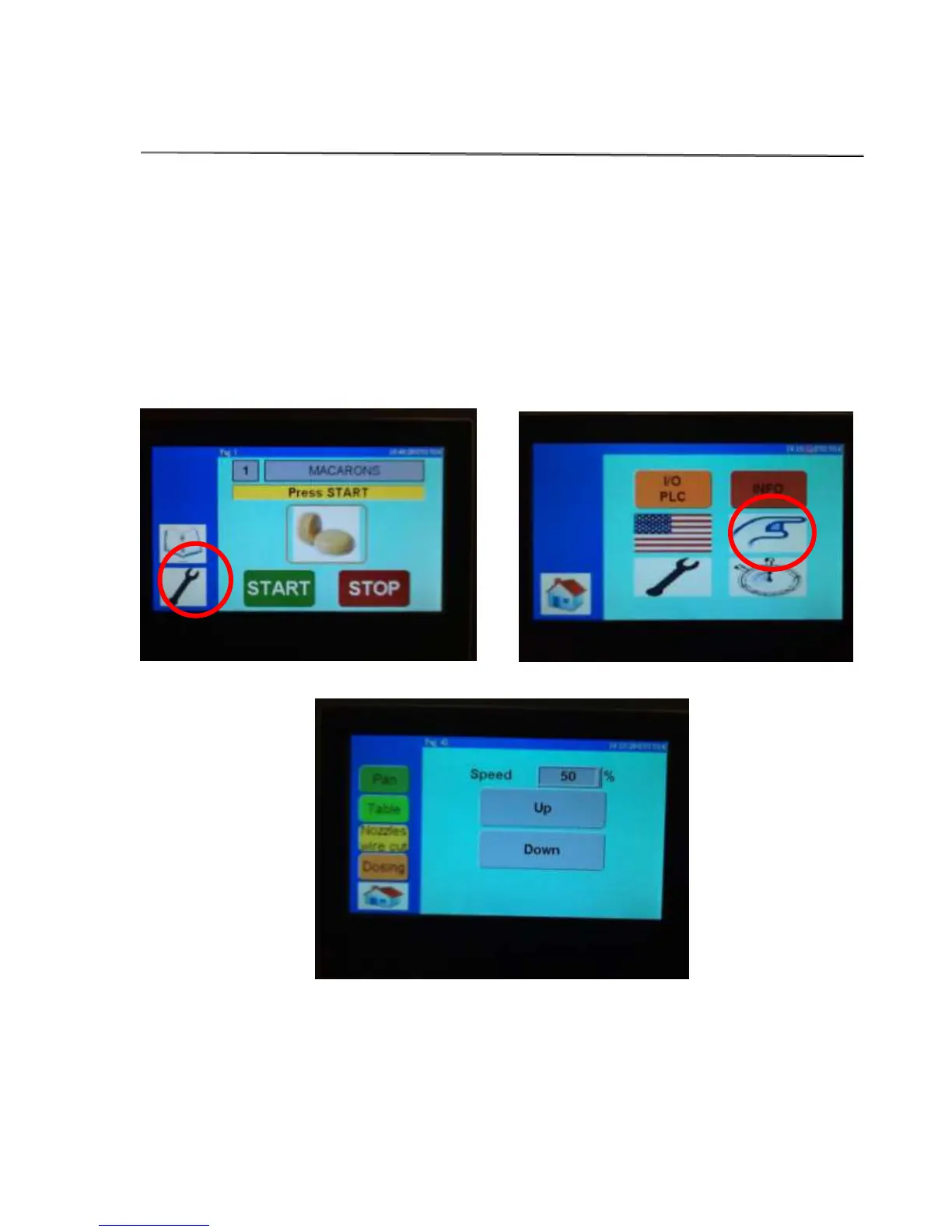
To manually move the table up or down follow these instructions:
1. Press the wrench icon on the touch screen
2. Press the pointing hand icon
3. Select the blue table tab
4. The choice of up or down will pop up, just press and hold in the desired direction.



 To Next Page