Need help?
Do you have a question about the Balboa Water Group BP500 and is the answer not in the manual?
Details Balboa Water Group's proprietary intellectual property rights and user restrictions.
Warns against attempts by non-qualified users to service or repair Balboa products.
Explains the code requirement for GFCI installation in spa power supply.
Highlights critical safety warnings regarding electrical work and potential hazards.
Specifies adherence to electrical wiring methods and materials per national codes.
Emphasizes that only qualified technicians should perform service and installation.
Provides fundamental guidelines for spa control system installation.
Outlines CSA compliance requirements and safety cautions.
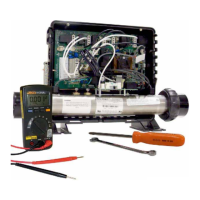
Lists essential tools needed for servicing spa control systems.
Suggests common parts to keep on hand for service appointments.
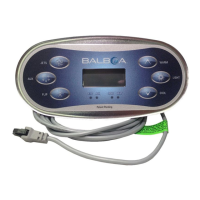
Details the overview and user guides for TP900 and TP800 series panels.
Details the overview and user guides for TP600 and TP400 series panels.
Explains where to find identification labels and wiring diagrams on the system.
Identifies the connector type used for all TP panels.
Indicates where heater element specifications are shown.
Warns of high voltage dangers and emphasizes technician expertise.
Provides essential safety precautions and tips for working with electrical systems.
Guides on troubleshooting GFCI tripping problems attributed to incorrect wiring.
Details how to disconnect the heater for GFCI testing procedures.
Explains acceptable voltage ranges and verification methods.
Covers checking voltages under peak load conditions and system issues.
Details precautions for checking wiring and system box wire gauge.
Discusses issues related to low voltage and brown outs affecting system operation.
Provides steps for checking the system's power input fuse for damage.
Outlines a sequence of tests to identify the cause of a blown power input fuse.
Explains how to test amperage draw of components like pumps and blowers.
Details the procedure for testing heater resistance with power off.
Explains how to test resistance between heater posts and housing/ground.
Provides methods for testing heater voltage, emphasizing safety.
Describes a safer technique for testing heater voltages using insulated clamps.
Explains how to test heater amperage draw using a clamp meter.
Details the preferred method for checking fuse continuity.
Guides on testing pump fuses for damage while power is on.
Explains how to test pump fuses on the BP500 model.
Describes how to test voltages at the pump connector for low and high speeds.
Details accessing Test Mode and changing software setup configurations.
Covers A/B Temps, Fault Log, Demo Mode, Time Outs, Temp Limit, and Config Settings.
Provides instructions for changing BP500 setups using DIP Switch 1.
Guides on changing BP2500 setups using DIP Switch 1.
Covers initial steps for testing sensor set functionality and connections.
Details sensor swapping to diagnose circuit board or sensor issues.
Explains testing for faulty sensors and cleaning sensor pins.
Details safety precautions and steps for removing a system circuit board.
Covers installing a new circuit board and compatibility on dual board systems.
Outlines preparation steps before removing the heater assembly.
Details the step-by-step procedure for removing the heater assembly.
Describes the main screen, spa status display, and navigation controls.
Explains how to navigate the panel using buttons and identifies key icons.
Guides on preparing the spa and filling it correctly before start-up.
Details the priming mode process, pump activation, and troubleshooting.
Explains how to manually exit priming mode and what to expect.
Highlights the importance of setting time-of-day for filtration and background features.
Describes how pumps operate and explains different circulation pump modes.
Covers filtration cycles, ozone operation, and freeze protection features.
Explains how to configure the optional cleanup cycle duration.
Details how to set main and optional filter cycles, including overlap.
Covers purge cycles for sanitary conditions and Hold Mode for service.
Describes how to restrict panel use to prevent unwanted adjustments.
Provides the sequence for unlocking the panel and settings.
Explains items within the System Information menu like SSID, Model, and Setup.
Lists and explains common heater-related messages like flow issues.
Provides checks for low water flow and related system behaviors.
Explains how messages and alerts appear on the panel.
Details various message types including temperature, sensor, and comms errors.
Covers errors related to memory, clock, configuration, and pump status.
Defines GFCI as a safety device and its requirement for spas.
Explains how to verify proper GFCI installation and function.
Details how to manually initiate the GFCI trip test for verification.
Lists the functions available within the Utilities menu.
Covers setting preferences, temperature/time display, and reminders.
Explains settings for cleanup cycles, Dolphin remote, background color, and language.
Describes navigation through the standard panel menus.
Explains how to access the Utilities and Fault Log menus from the main screen.
Guides on spa preparation and filling before system start-up.
Details the priming mode process and how to prime pumps.
Explains how to exit priming mode and the system's automatic termination.
Lists and references message codes appearing on the panels.
Details items within the System Information menu like SSID, Model, and Setup.
Explains the GFCI Test feature and its availability.
Covers messages related to sensor sync issues and freezing conditions.
Details messages related to heater operation and safety trips.
Covers messages for sensor balance, sync issues, and communication loss.
Lists errors related to memory failure, clock issues, and configuration problems.
Details error codes for stuck pumps and GFCI test failures.
Explains how the fault log stores and displays events.
Details the structure and content of fault log entries.
Explains the GFCI test feature, its availability, and purpose.
Provides instructions on how to manually initiate the GFCI trip test.
Compares simplified and standard panel menus and their features.
Explains how to change between simplified and standard menus.
Describes navigating the simplified main menu structure.
Explains the power-up sequence and the main screen layout.
Describes the capabilities of the Dolphin remote for spa control.
Explains the communication process between the Dolphin remote and the system.
Guides on resetting and assigning a new address to the Dolphin remote.
Provides references for Dolphin manuals and remote details.
Defines circulation pump operation and cleanup cycle purpose.
Explains filtration cycles, freeze protection, and GFCI device.
Defines programming, priming mode, and preferences.
 General
| Brand | Balboa Water Group |
|---|---|
| Model | BP500 |
| Category | Control Systems |
| Language | English |

 To Next Page