Filtration
Dual Temperature Ranges
High
Range ° ° Low Range
° °
° °
°
°
Ready and Rest Modes
“
”
Complete Reference
User Interface and Programming Reference – Standard Menus
System Model: BP-Series Systems are BP5XX, BP6XX, BP1XXX, BP2XXX.
Software Version: 7.0 and later
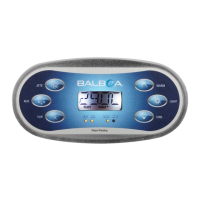
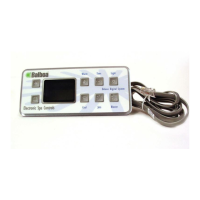
Panel Model: TP600 Series TP400 Series
Software Version: 2.3 or later 2.4 or later
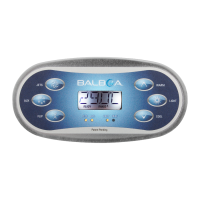
Navigating the entire menu structure is done with 2 or 3 buttons on the control panel.Some panels have separate
WARM (Up) and COOL (Down) buttons, while others have a single Temperature button. In the navigation
diagramsTemperature buttons are indicated by a single button icon.
Panels that have two Temperature buttons (Warm and Cool) can use both of them to simplify navigation and
programming where a single Temperature icon is shown.The LIGHT Button is also used to choose the various
menus and navigate each section.Typical use of the Temperature button(s) allows changing the Set
Temperature while the numbers are flashing in the LCD.Pressing the LIGHT button while the numbers are
flashing will enter the menus.The menus can be exited with certain button presses. Simply waiting for several
seconds will return the panel operation to normal.
Power-up Screens
Each time the System powers up,
a series of numbers is displayed.
****
Main Screen
While the Temperature is
still flashing, press Light.



 To Next Page