40940_N 02-08-19
8
Manufactured under one or more of these patents. U.S. Patents: 5332944, 5361215, 5550753, 5559720, 5,883,459, 6253227, 6282370,
6590188, 6976052, 6965815, 7030343, 7,417,834 b2, Canadian Patent: 2342614, Australian patent: 2373248 other patents both foreign and
domestic applied for and pending. All material copyright of Balboa Water Group.
Restricting Operation
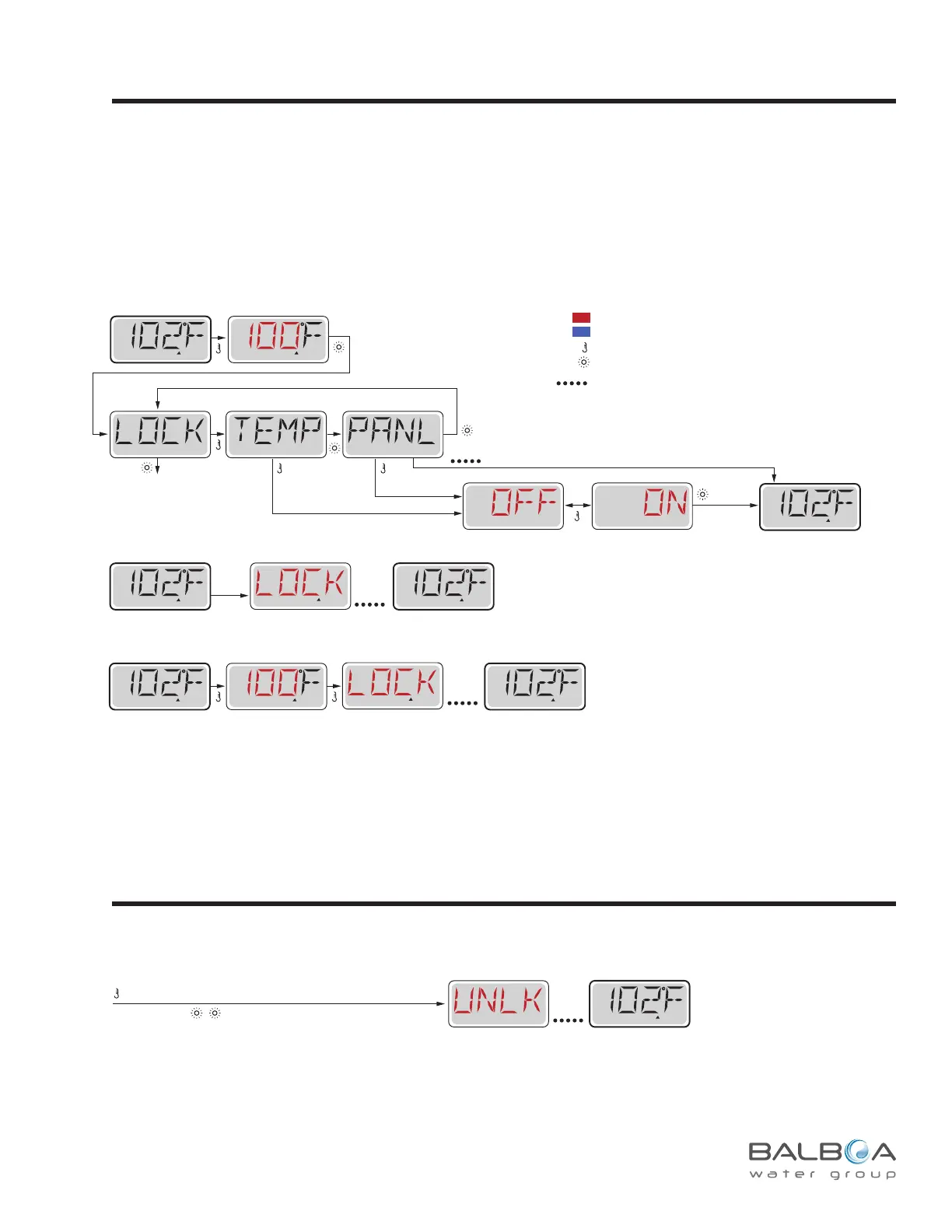
Sub-Menu Detail – Locking the Set Temperature or All Buttons
LOCK will remain on the display
for 3 seconds and then revert to the normal display.
When the Temperature is locked, the panel will display the Set Temperature
by pressing a Temperature Button, as ususal.
LOCK will appear if an attempt to reset the temperature is made with a subsequent button press.
Adjustable settings in the menus are also locked.
Other function buttons will operate normally.
Panel Locked
Temperature Locked
Any
Button
Press
Locks all function buttons.Locks Temp. and Settings.
SET
SET
SET
SET
READY
RANGE
FLTR1
READY
RANGE
FLTR1
While the Temperature is
still flashing, press Light
repeatedly until LOCK
appears in the LCD.
SET
RANGE
Main Screen
Main Screen
READY
RANGE
FLTR1
Main Screen
READY
RANGE
FLTR1
Main Screen
READY
RANGE
FLTR1
Main Screen
READY
RANGE
FLTR1
READY
RANGE
FLTR1
Main Screen
READY
RANGE
FLTR1
SET
To Set
To next item in
Main Menu
A Few
Seconds
A Few
Seconds
A few seconds
RANGE
*****
Waiting a few
seconds reverts
to origianl settings
Sub-Menu Detail – Unlocking the Set Temperature or All Buttons
While pressing and holding the Temperature Button (or UP button, if available),
Slowly press and release the Light Button two times.
READY
RANGE
FLTR1
Main Screen
A Few
Seconds
Unlocking
Indicates Flashing or Changing Segment
Key
A temperature button, used for “Action”
Light or dedicated “Choose” button, depending on control panel configuration
Indicates Alternating or Progressive Message - every 1/2 second
Waiting time that keeps the last change to a menu item.
Waiting time (depends on menu item) that reverts to original setting and
ignores any change to that menu item.
*****
This Unlock sequence may be used from any screen that may be displayed on a restricted panel.
NOTE: If the panel has both an UP and a Down button, the ONLY button that will work in the Unlock Sequence is
the UP button.
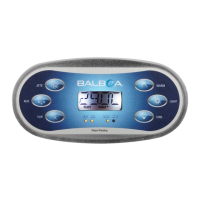
The control can be restricted to prevent unwanted use or temperature adjustments.
Locking the panel prevents the controller from being used, but all automatic functions are still active.
Locking the Temperature allows Jets and other features to be used, but the Set Temperature and other programmed settings
cannot be adjusted.
Temperature Lock allows access to a reduced selection of menu items.
These include Set Temperature, FLIP, LOCK, UTIL, INFO and FALT LOG.



 To Next Page