AFTER SALES SUPPORT
CUSTOMERCARE@BALCOLIFESTYLE.COM MODEL: HE180021
SETUP
3.3.2 Inserting Filament
1. On the Main Screen, select Quick Menu Change Filament Add Filament
2. Select the desired type of Filament to be added. The Extruder will automatically be raised
and your Printer will begin heating the Extruder to the correct temperature. When the
temperatures are within a few degrees of the target, you are ready to insert the lament
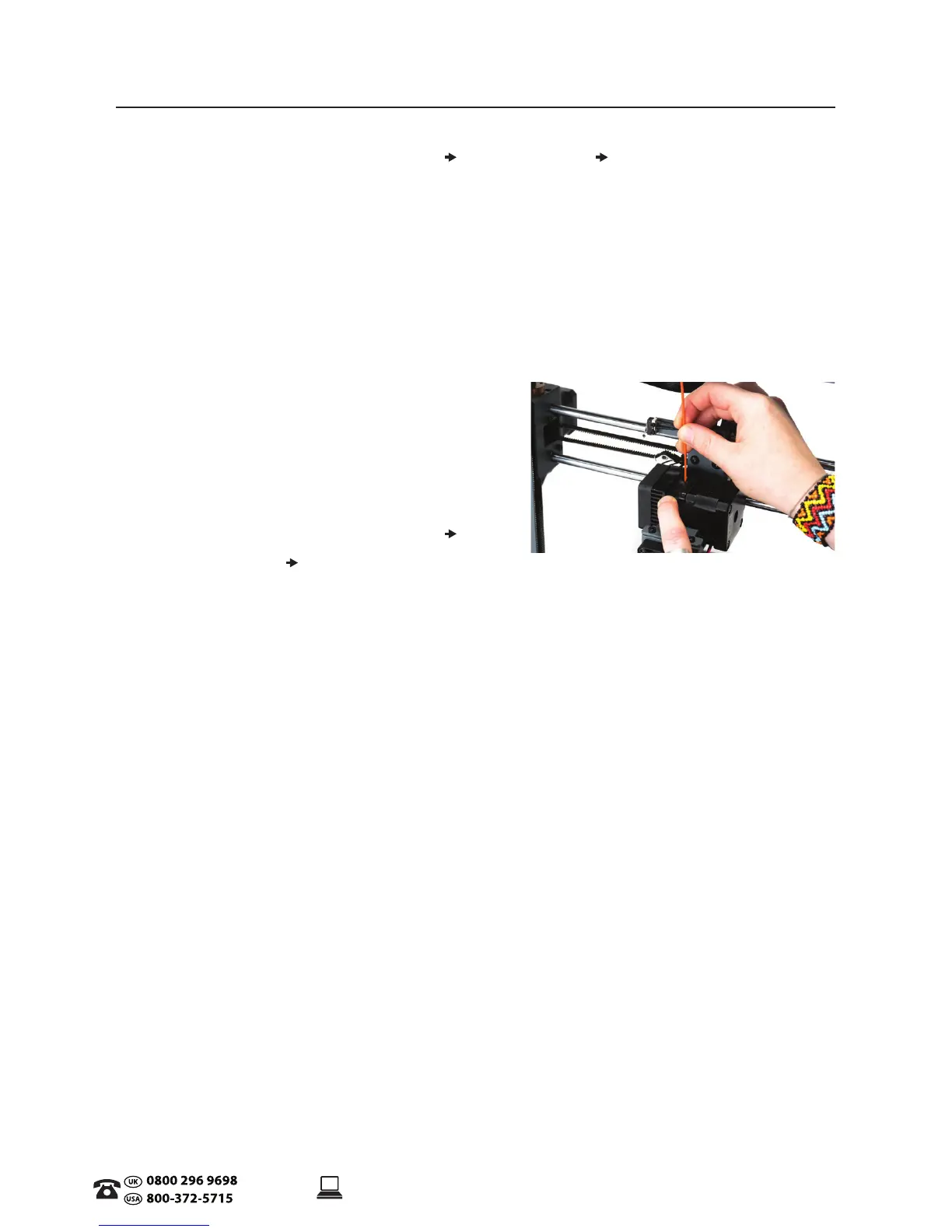
3. Place the included lament onto the Spool holder. Carefully insert the end of the lament into
the hole on the Extruder. The Extruder will begin to slowly pull the lament in. Once lament
begins extruding, press Back to stop
4. Carefully remove the extruded lament from the Nozzle Head and ensure the Print Bed is
clean
WARNING: Extruder and Heated Print Bed will still be hot
3.3.3 Removing Filament
1. On the Main Screen, select Quick Menu
Change Filament
Remove Filament
2. Select the desired type of Filament to be removed. The Extruder will automatically be raised
and your Printer will begin heating the Extruder to the correct temperature
3. Once the Extruder reaches the correct temperature, the lament will begin retracting from
the Extruder. Gently pull the lament up until it is released and press Back to stop
NOTE: Trim of the end of the retracted lament prior to reinserting into the Extruder to prevent
clogging the Printer Nozzle.
3.3.4 Storage
Both PLA and ABS laments are sensitive to moisture. If stored in a humid environment, the quality
of the lament can deteriorate, with a tendency to bubble and spurt from the nozzle tip. This will
aect print quality, so when storing PLA or ABS for an extended period of time, follow these tips.
• Store in a sealed, air tight bag/container. We recommend a vacuum seal bag
• Store with a silica gel (moisture absorber) pack. One is included with each lament spool


 To Next Page